These answers cover the questions most service businesses ask before setting up an Omnibooking page.
Account and setup
What is Omnibooking?
Omnibooking is online scheduling software for service businesses. You can publish a booking page, list services, control availability, collect client details, send reminders, and manage appointments from one dashboard.
Who is Omnibooking built for?
It works best for appointment-based businesses: contractors, photographers, trainers, tutors, stylists, pet groomers, cleaning services, and small teams that need a simple booking flow.
Do I need a website to use Omnibooking?
No. Your hosted booking page can be shared directly in texts, emails, social profiles, QR codes, directories, or your existing website.
How long does setup take?
Most accounts can publish a basic booking page after adding a business name, services, availability, and a booking URL. You can refine reminders, payments, and page details later.
Booking pages and services
What can clients book?
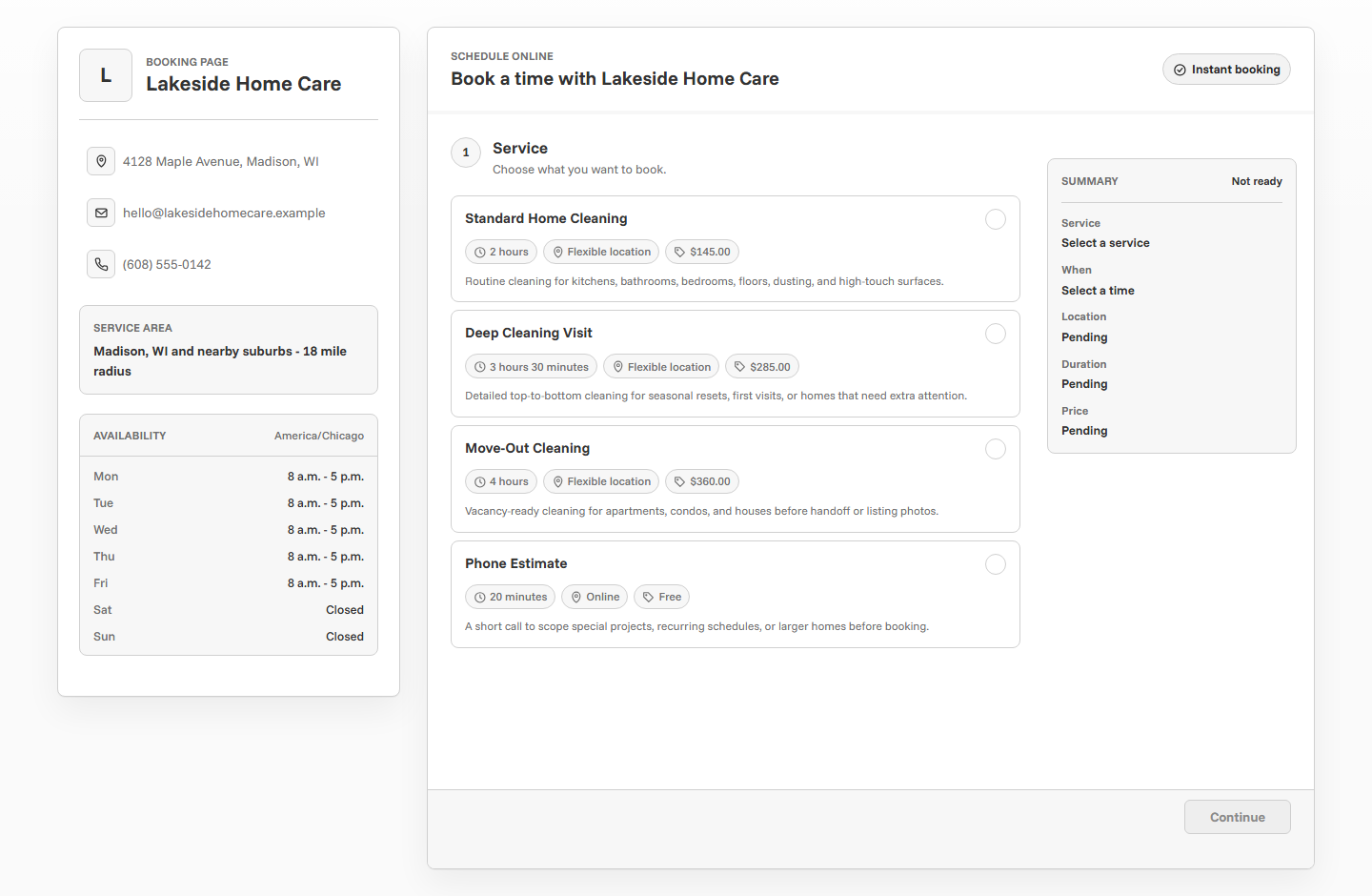
Clients can book the services you create. Each service can have its own name, description, price, duration, location, and booking requirements.
Can I control when clients book?
Yes. You can set working hours, add breaks, manage availability, and control how last-minute booking should work for your schedule.
Can I use Omnibooking for free services?
Yes. Services can be free, paid outside Omnibooking, or connected to Stripe when you want to collect a deposit or payment during booking.
Can clients reschedule or cancel?
Omnibooking is built around keeping appointment details organized. Use your dashboard to manage schedule changes and keep clients informed.
Notifications, calendars, and payments
Do clients receive confirmations?
Yes. Omnibooking can send appointment confirmations and reminders so clients have the details they need after booking.
Does Omnibooking support calendar files?
Yes. Calendar invites help clients save the appointment to their calendar and reduce missed bookings.
How do payments work?
Payments use Stripe Connect. When Stripe is connected, you can require payment for selected services and keep the booking flow clear for clients.
Does Omnibooking hold my payment funds?
No. Stripe handles payment processing through your connected Stripe account. Omnibooking provides the booking and payment flow around it.
Plans and support
Can I start on the free plan?
Yes. Start free, publish a booking page, and upgrade only when your business needs more events, services, themes, or advanced options.
Where should I start?
Start with the Getting Started guide, then add Stripe Connect only if you need deposits or paid booking.
Related resources
Getting Started With Omnibooking
Follow the first setup path for creating an account and publishing a page.
How to Create a Booking Page
Learn what to put on the client-facing page before sharing a link.
Set Booking Availability
Understand booking hours, delays, blocks, and schedule boundaries.
Stripe Connect Setup and Fees
Review paid booking setup when clients should pay before confirming.
Reduce No-Shows With Reminders
Use confirmations and reminder timing to keep appointments on track.