Calendar block duration controls the spacing of available start times on a booking page. A 15-minute block can show more precise appointment choices, while a 30-minute block keeps the schedule simpler and easier to manage. The right block size depends on service duration, client expectations, prep time, travel, breaks, and how much control you need over the day.
What calendar block duration means
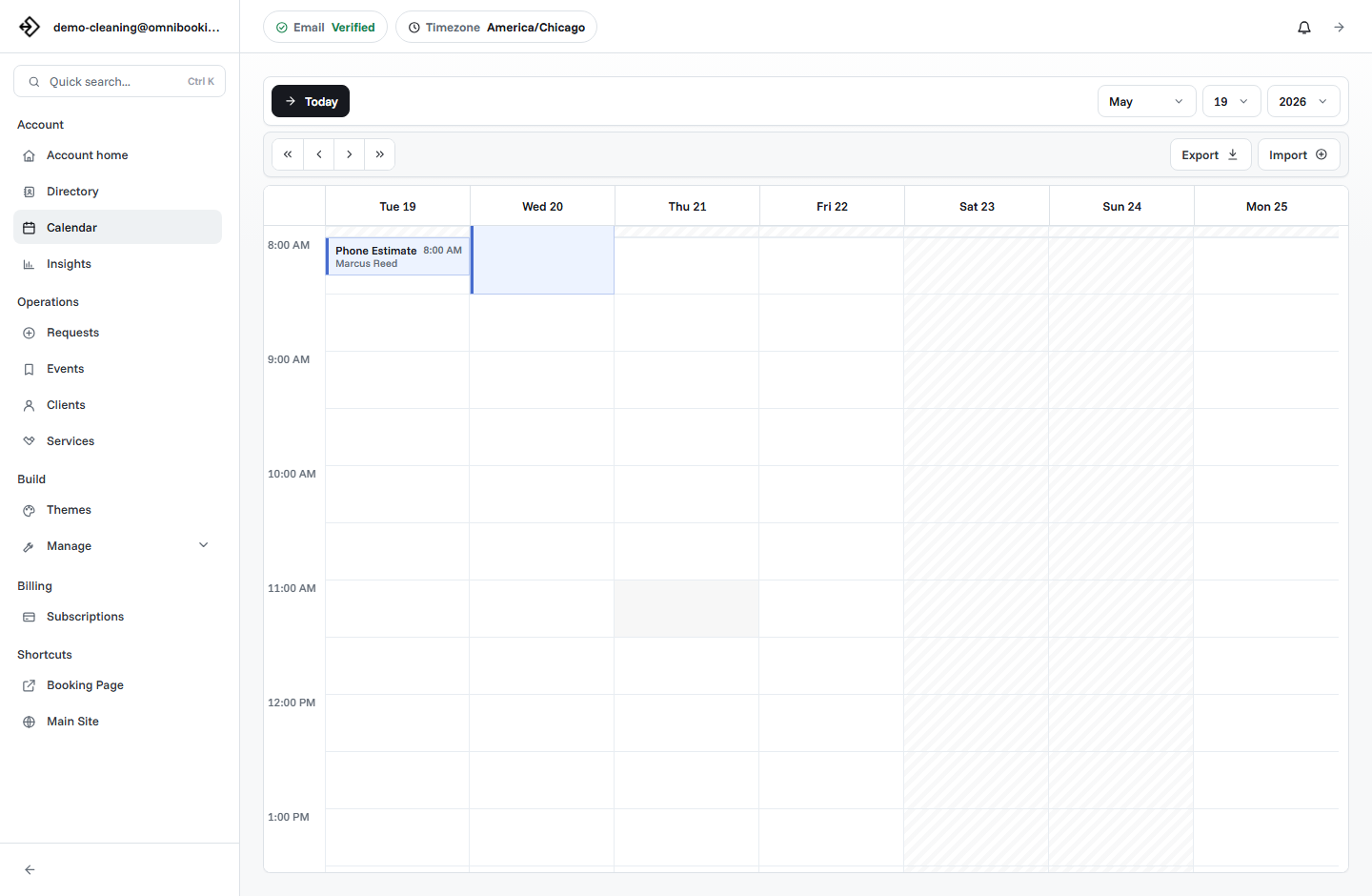
Calendar block duration is the increment your schedule uses to create appointment start times. If the block duration is 30 minutes, clients may see times like 9:00, 9:30, 10:00, and 10:30. If the block duration is 15 minutes, they may see 9:00, 9:15, 9:30, 9:45, and 10:00.
That setting affects more than the look of the calendar. It changes how tightly appointments can fit together, how many choices clients see, and how easy it is to avoid awkward gaps. In Omnibooking, calendar blocks can be set to 15 or 30 minutes, and service durations should be multiples of the selected block size.
Calendar blocks are not service duration
Calendar block duration and service duration are related, but they are not the same thing. Service duration is how long the appointment takes. Calendar block duration is the interval used to step through the calendar and show available start times.
A 60-minute service can work with either 15-minute or 30-minute blocks. With 30-minute blocks, the service might start at 9:00, 9:30, or 10:00. With 15-minute blocks, it might also start at 9:15 or 9:45 if the surrounding schedule allows it.
How blocks change client choices
Smaller blocks create more possible start times. That can be helpful when clients need flexibility, but it can also make the booking page feel busier. Larger blocks create fewer choices. That can make the page easier to scan, but it may hide useful openings.
The best choice is the one that makes appointments easier to book without making the day harder to run. A calendar full of tiny choices is not automatically better. A calendar with fewer, cleaner options can convert better when the services are straightforward.
More choices
15-minute blocks can help clients find a time that fits around work, school, or other appointments.
Cleaner choices
30-minute blocks reduce visual clutter and make the schedule feel easier to understand.
Better fit
The right setting depends on appointment length, prep needs, travel, and how you want the day to flow.
When to use 15-minute blocks
Fifteen-minute blocks are useful when appointments need more precise start times. They work well for shorter services, consultations, calls, quick follow-ups, tutoring sessions, beauty services with varied timing, and schedules where small openings matter.
They can also help when service durations are not clean 30-minute chunks. A 45-minute service, 75-minute service, or 105-minute appointment fits naturally into a 15-minute block system.
- You offer services that are 15, 45, 75, or 105 minutes long.
- Clients need precise start times around work, school, or family schedules.
- You have short consultations, quick check-ins, or follow-up appointments.
- You want to reduce small unusable gaps between appointments.
- Your work happens in one place or online, so travel is not the main constraint.
- You are comfortable managing a calendar with more possible start times.
When to use 30-minute blocks
Thirty-minute blocks are easier to manage for many service businesses. They keep the public calendar cleaner, reduce the number of start times, and fit naturally with 30-, 60-, 90-, and 120-minute appointments.
They are especially useful when the business needs space around appointments: travel, setup, cleanup, room turnover, admin time, or a simpler daily rhythm. If you do not need 9:15 or 9:45 start times, 30-minute blocks may be the better default.
- Your services are mostly 30, 60, 90, or 120 minutes.
- You want fewer client choices and a cleaner booking page.
- Appointments involve travel, setup, cleanup, or client handoff time.
- You prefer a schedule built around half-hour starts.
- Your clients are unlikely to care about 15-minute precision.
- You want the simplest first version of your booking setup.
Compare 15-minute and 30-minute blocks
Both options can work. The difference is how much precision you want clients to see and how much complexity you want to manage.
Make service durations match the block
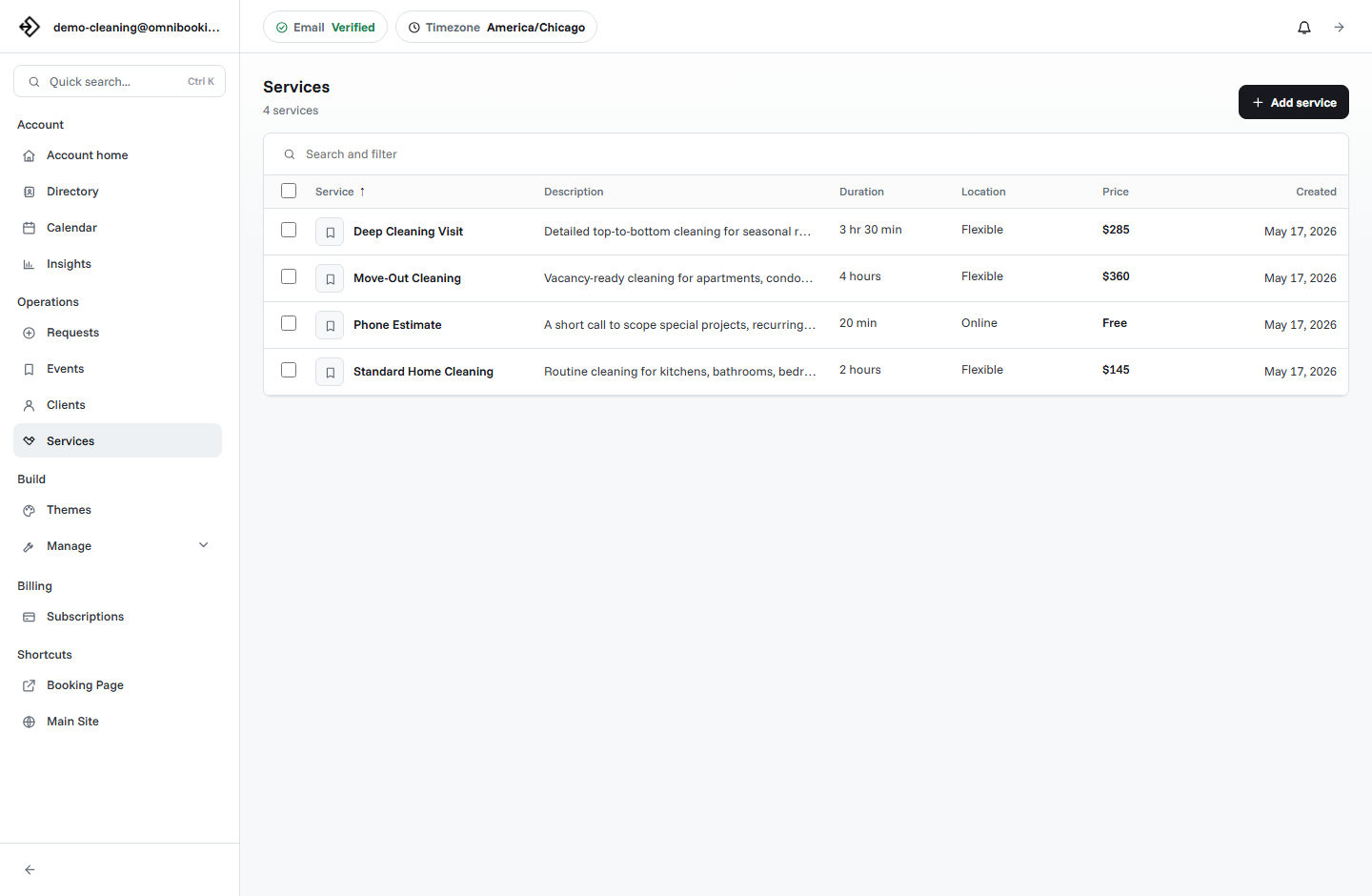
Service durations should line up with the selected calendar block. If your calendar uses 30-minute blocks, a 45-minute service does not fit cleanly. If your calendar uses 15-minute blocks, 45 minutes fits naturally.
This matters because booking software needs to step through the calendar predictably. When services are multiples of the block size, the system can check availability, avoid collisions, and show start times more cleanly.
Avoid awkward gaps
A calendar block setting can create or prevent small gaps between appointments. For example, if you use 30-minute blocks and a service is 60 minutes, the day may stay tidy. If you have several 45-minute services, 30-minute blocks can make the schedule harder to reason about.
Awkward gaps are not always bad. A 15-minute gap can be useful if you need notes, cleanup, or a quick reset. But if the gaps are accidental, they can quietly reduce capacity without giving you usable rest time.
Useful gap
A planned 15-minute reset after a hands-on service, tutoring lesson, or consultation.
Wasted gap
A random opening that is too short for another appointment and too short to feel like a break.
Protected gap
A deliberate block for travel, admin, lunch, setup, cleanup, or follow-up notes.
Use blocks with buffers and booking delays
Calendar blocks do not replace buffers, breaks, or booking delays. They only decide the spacing of possible start times. You still need availability rules that protect the real work around the appointment.
A 15-minute block will not prevent overbooking if every opening is public. A 30-minute block will not protect travel time unless travel is actually blocked. Combine block duration with realistic availability, same-day rules, and private blocked time.
Example calendar block setups
These examples show how different service businesses might choose a block duration. The right answer depends on your actual services, not only your industry.
How to choose your block duration
Start with your service list. If most durations are clean 30-minute increments, choose 30-minute blocks for the simplest setup. If several services use 15-minute increments, choose 15-minute blocks so the booking page can represent them accurately.
Then test the client flow. Open the booking page, choose a service, and look at the available times. If the page feels too crowded, try a larger block or simplify availability. If the page hides useful openings, try a smaller block.
- List your core services. Write down the real duration of each appointment, including any time clients expect to receive.
- Check the duration pattern. If durations are mostly 30, 60, 90, or 120 minutes, 30-minute blocks may be enough.
- Look for 15-minute services. If you use 15, 45, 75, or 105 minutes, 15-minute blocks will fit better.
- Review the day around appointments. Add breaks, travel, setup, cleanup, and admin time before judging the public calendar.
- Test from a client's phone. Make sure the available times are clear, useful, and not overwhelming.
Calendar block checklist
Use this checklist before changing block duration on a live booking page.
- Each service duration is realistic.
- Every service duration fits the selected block size.
- The public calendar shows enough choices without feeling crowded.
- Breaks, travel, prep, cleanup, and admin time are still protected.
- Same-day booking rules still give you enough notice.
- Approval is enabled for services that need review.
- You tested the most common booking flow on mobile.
- You reviewed the schedule after real bookings came in.
How Omnibooking helps with calendar blocks
Omnibooking lets service businesses set calendar blocks, create service durations, manage availability, add booking delays, block time, use booking requests, and send confirmations and reminders. That helps the public booking page show useful start times without making the owner manage every appointment manually.
For related setup guidance, read how to set booking availability without overbooking yourself, same-day booking, and the online booking checklist. If you are still building the page itself, start with how to create a booking page.
Related resources
Set Booking Availability
Use blocks alongside open hours, booking delay, and blocked time.
Prevent Double Booking
See how block size interacts with overlaps, service duration, and pending requests.
Same-Day Booking Rules
Pair calendar blocks with short-notice controls that protect the day.
Reduce No-Shows With Reminders
Make sure the schedule clients choose is reinforced by timely reminders.
FAQs
What is calendar block duration?
Calendar block duration is the time increment used to show possible appointment start times on a booking page, such as every 15 minutes or every 30 minutes.
Is calendar block duration the same as appointment duration?
No. Appointment duration is how long the service takes. Calendar block duration controls the spacing of possible start times clients can choose.
Should I use 15-minute or 30-minute calendar blocks?
Use 15-minute blocks if you need precise start times or services with 15-minute increments. Use 30-minute blocks if your appointments are longer, simpler, or easier to manage on half-hour starts.
Can calendar blocks prevent overbooking?
Calendar blocks help structure the schedule, but they do not prevent overbooking by themselves. You still need realistic service durations, blocked time, booking delays, and approval rules where needed.
Why does service duration need to match the block size?
When service duration is a multiple of the calendar block, the booking system can step through availability cleanly, show better start times, and avoid awkward scheduling conflicts.