Appointment reminders reduce no-shows by making the booking harder to forget and easier to prepare for. The best reminder workflow starts before the reminder email is sent: confirm the appointment clearly, collect useful client details, choose a realistic reminder lead time, and use payments or approval when the booking needs stronger commitment.
What a no-show really means
A no-show happens when a client does not arrive, join, call, or cancel before the appointment starts. For small service businesses, it is more than an empty calendar slot. It can mean lost revenue, wasted prep, unused chair time, missed travel planning, or another client who could have taken the appointment.
No-shows usually come from a mix of forgetfulness, weak commitment, unclear appointment details, timezone confusion, poor fit, or too little communication after booking. Reminders help, but they work best when the rest of the booking page is also clear.
Start with the confirmation
A reminder cannot fix a confusing booking. If the client never understood the service, location, price, or confirmation status, the reminder arrives too late. The confirmation email should make the appointment feel real as soon as the client books.
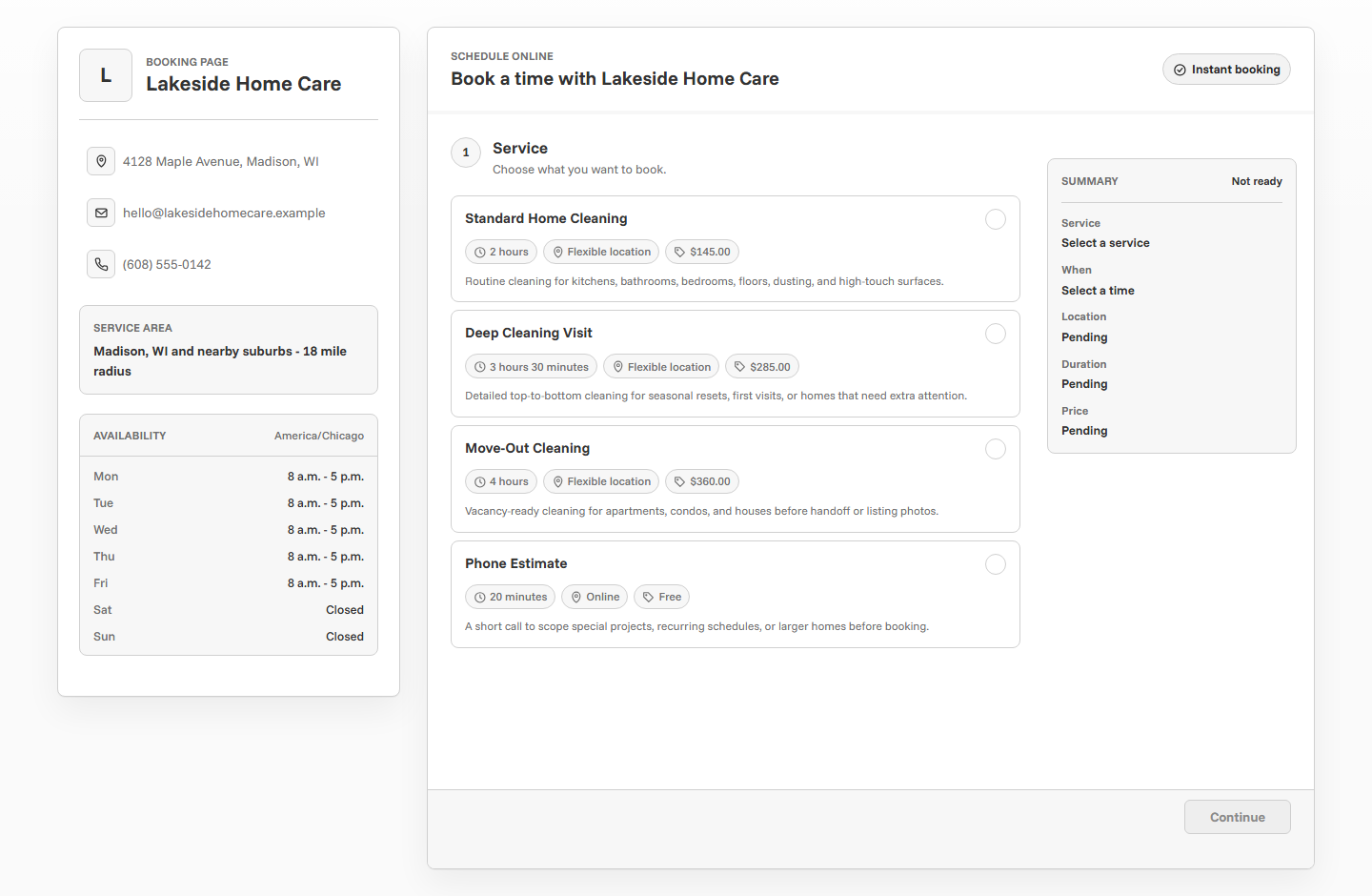
At minimum, the client should leave the booking flow knowing what they booked, when it happens, where it happens, and whether the appointment is confirmed or waiting for approval. A calendar file can also help the appointment land in the client's own calendar instead of staying buried in an inbox.
- Service name and appointment date.
- Start time, end time, and timezone.
- Business location, online meeting details, or service address.
- Whether the appointment is confirmed or pending review.
- Any preparation, access, arrival, or cancellation notes.
- How the client can contact the business if something changes.
Choose the right reminder lead time
Reminder timing should match how much notice the client needs to act. A reminder one hour before an online consultation may be useful. The same timing is probably too late for a home-service visit, a tutoring lesson that needs materials, or a photo session where the client has to prepare outfits and travel.
Most service businesses should start with a 24-hour reminder, then adjust by service type. If clients regularly forget early morning appointments, send the reminder the day before. If appointments are often booked far ahead, consider a lead time that gives clients enough room to reschedule responsibly.
Make reminders practical, not just polite
A useful appointment reminder does more than say "see you soon." It answers the questions that could stop the client from showing up: What did I book? When is it? Where do I go? What should I bring? Who do I contact if I need to reschedule?
If your booking tool pulls details from the event, make those details clean at setup. Use service names clients recognize, set accurate locations, and add appointment notes when the client needs special instructions.
Clear service name
"New Client Hair Consultation" is more useful than "Appointment" because the client knows what the reminder is about.
Specific location
Include the studio, office, online link, service area, or client address expectations when location matters.
Useful notes
Use notes for arrival, parking, access, prep, materials, forms, pet details, or contact instructions.
Match reminders to the appointment type
Different services create different no-show risk. A short intro call may only need a basic reminder. A color appointment, photo session, tutoring lesson, cleaning visit, or contractor estimate may need enough notice for preparation and logistics.
When a service has a higher cost of missed time, use stronger rules around the booking: longer reminder lead time, booking delay, deposits, payment before booking, or approval before confirmation.
Use booking delay for last-minute no-show risk
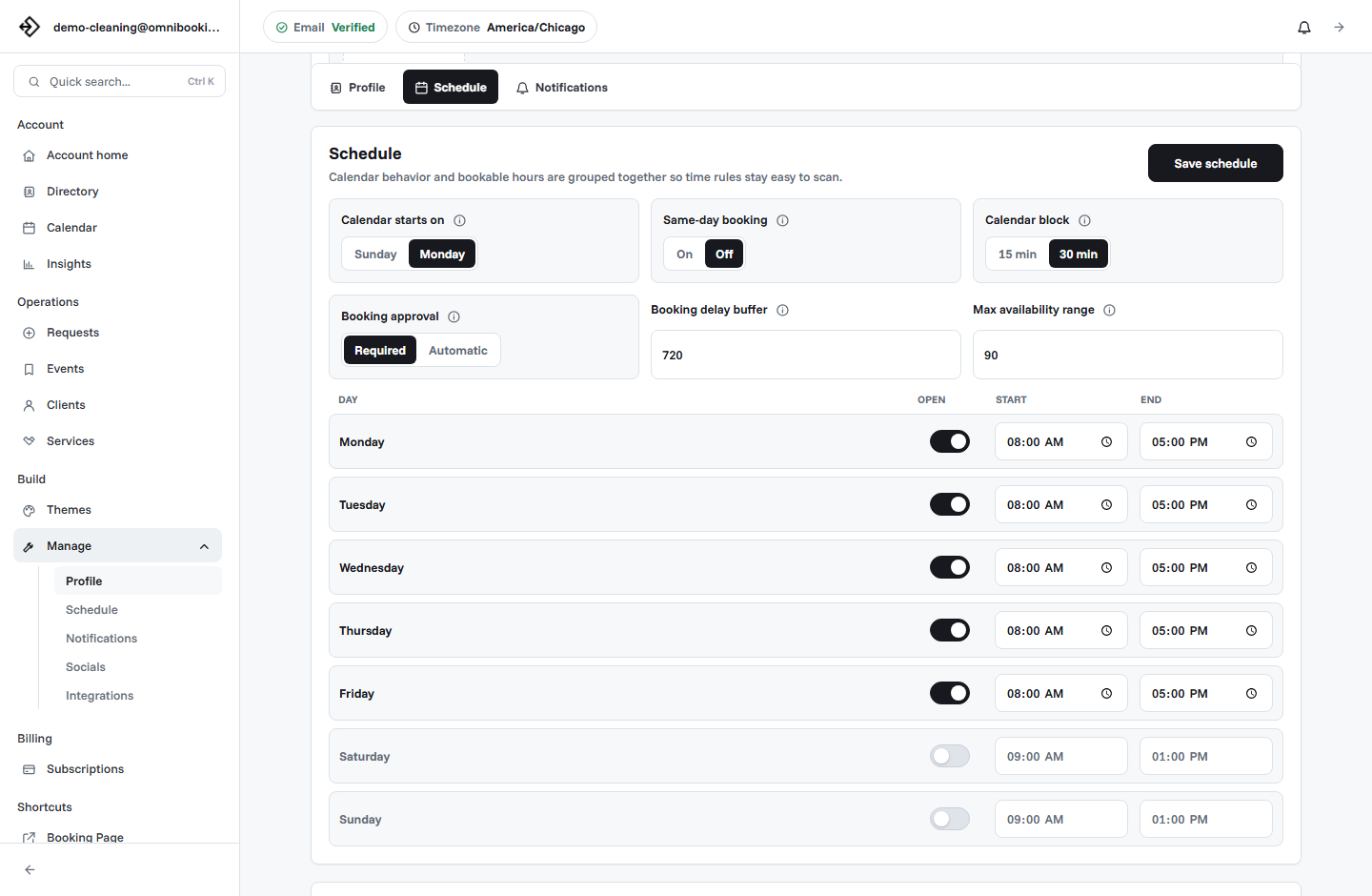
Same-day and last-minute appointments can be convenient, but they are easier to forget and harder to prepare for. If a client books at lunch for an appointment later that afternoon, there may not be enough time for a useful reminder to change behavior.
A booking delay sets the minimum notice required before an appointment can start. For example, a 24-hour delay blocks clients from booking too close to the appointment. This gives confirmations, reminders, payments, and client preparation more time to work.
For a deeper breakdown, read Same-Day Booking: When to Allow It and When to Block It.
Add commitment for high-value appointments
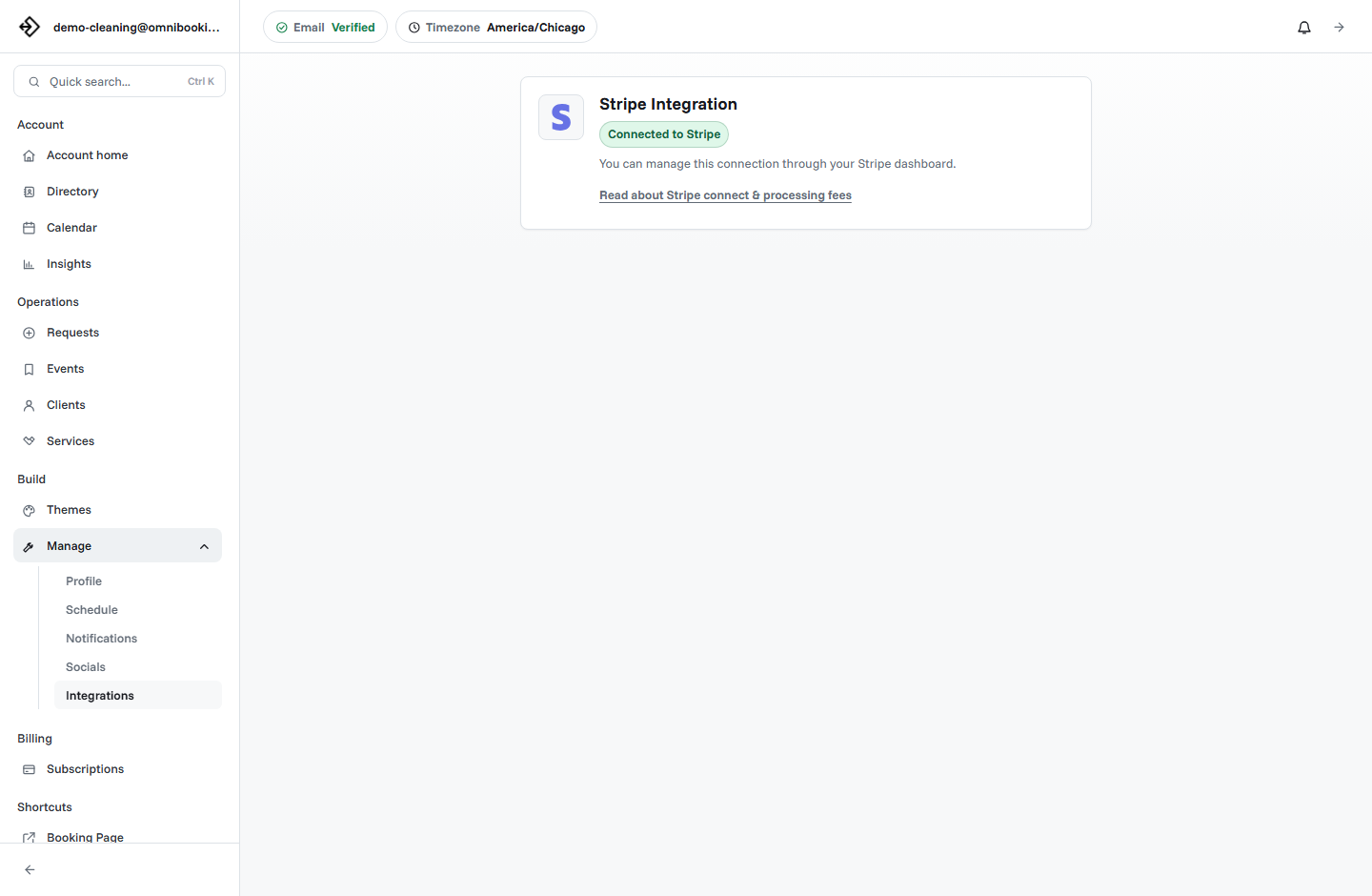
Some appointments need more than an email reminder. If a no-show creates real revenue loss, blocks a long service window, requires prep, or prevents another client from booking, consider asking for payment or a deposit before the appointment is confirmed.
Payment is especially useful for fixed-price services, consultations, sessions, and appointments where the client should be committed before the calendar slot is reserved. It is less useful for variable-scope work where the final price depends on review.
Use payment for
Consultations, deposits, classes, private sessions, assessments, and fixed-price appointments.
Use approval for
Estimates, custom jobs, variable pricing, mobile visits, or appointments that need review.
Use manual follow-up for
Urgent, unusual, high-value, or complex requests where a conversation is part of qualifying the booking.
For payment setup, see Stripe Connect setup and fees.
Use approval when reminders are not enough
A no-show problem is sometimes a fit problem. The client books the wrong service, chooses a time that does not match the work, or submits incomplete details. A reminder can repeat the appointment information, but it cannot make a bad booking fit the schedule.
Use booking approval when the business needs to review the request before accepting it. This is especially useful for contractors, cleaners, mobile services, first-time clients, and appointments where scope or travel affects the schedule.
- The service duration depends on client details.
- The appointment requires travel or site access.
- The business needs to review notes, photos, or project scope.
- The client might need a different service before booking.
- A pending request should not become a confirmed appointment automatically.
Keep the calendar easy to trust
Reminders are only as useful as the schedule behind them. If the appointment time changes, the client should receive clear communication. If the timezone is wrong, the reminder can create confusion instead of clarity. If the calendar is overbooked, the client may show up and still have a poor experience.
Review availability, blocked time, and service durations before blaming reminders for every missed appointment. A clean calendar makes reminder emails feel reliable.
- The account timezone matches the business location or online service workflow.
- Service durations reflect the actual appointment length.
- Breaks, travel, setup, and cleanup time are blocked.
- Same-day booking rules give enough notice.
- Pending and confirmed bookings do not overlap.
- Clients know where to go or how to join.
Related setup guides: set booking availability without overbooking yourself, calendar blocks and appointment scheduling, and how to prevent double booking.
Example reminder workflows
Use these as starting points, then adjust once you see how clients actually behave.
No-show reduction checklist
Use this checklist before sharing a booking page or after a missed appointment.
- The booking page explains each service clearly.
- The client receives a confirmation after booking or after request approval.
- The appointment includes date, time, timezone, location, and contact details.
- Client email reminders are turned on when available.
- The reminder lead time gives the client enough time to act.
- Same-day booking is limited when reminders would arrive too late.
- High-value appointments use deposits, payment, or approval.
- Service durations, blocks, and availability keep the calendar realistic.
- Appointment notes include preparation or access details when needed.
- You review patterns after missed appointments and adjust the rule that failed.
How Omnibooking helps reduce no-shows
Omnibooking helps service businesses reduce no-shows with confirmation emails, calendar files for confirmed bookings, client email reminders, reminder lead-time settings, service details, locations, appointment notes, booking delays, booking requests, and paid booking through Stripe Connect.
Client email reminders can be controlled from notification settings, with a lead time from 1 to 48 hours before the appointment. Pending booking requests do not receive reminders until they are accepted, which keeps reminders tied to appointments that are actually confirmed.
If you are setting up your booking page for the first time, start with the online booking checklist. You can also compare service-specific guidance for personal trainers, tutors, hair stylists and beauty pros, cleaners, and contractors.
Related resources
Same-Day Booking Rules
Give reminders enough time to work by controlling short-notice appointments.
Stripe Connect Setup and Fees
Use payment or deposits when missed appointments create real revenue loss.
Set Booking Availability
Keep the schedule behind each reminder accurate and realistic.
Prevent Double Booking
Avoid confusing appointment overlaps before clients receive reminders.
FAQs
Do appointment reminders reduce no-shows?
Appointment reminders can reduce no-shows by making the appointment easier to remember and prepare for. They work best when the booking confirmation, service details, location, and cancellation expectations are clear.
When should I send an appointment reminder?
A 24-hour reminder is a good default for many service businesses. Use a shorter lead time for simple same-day appointments and a longer lead time for services that require travel, prep, deposits, or client action.
What should an appointment reminder include?
It should include the service, date, time, timezone, location, contact information, and any preparation or access notes the client needs before the appointment.
Should I use deposits to prevent no-shows?
Deposits can help when missed appointments create meaningful revenue loss or block high-value time. Use them for fixed-price services and longer appointments where commitment matters.
Why do clients still miss appointments after reminders?
Common causes include unclear service details, wrong contact information, timezone confusion, last-minute booking, low commitment, pending requests that were not accepted, and appointments that should have required payment or approval.