Booking availability is the set of days, times, rules, and limits that decide when clients can reserve appointments. To avoid overbooking, your availability should reflect the real workday, not just empty calendar space. Include service duration, prep time, travel time, breaks, booking delay, future booking range, and approval rules for appointments that need review.
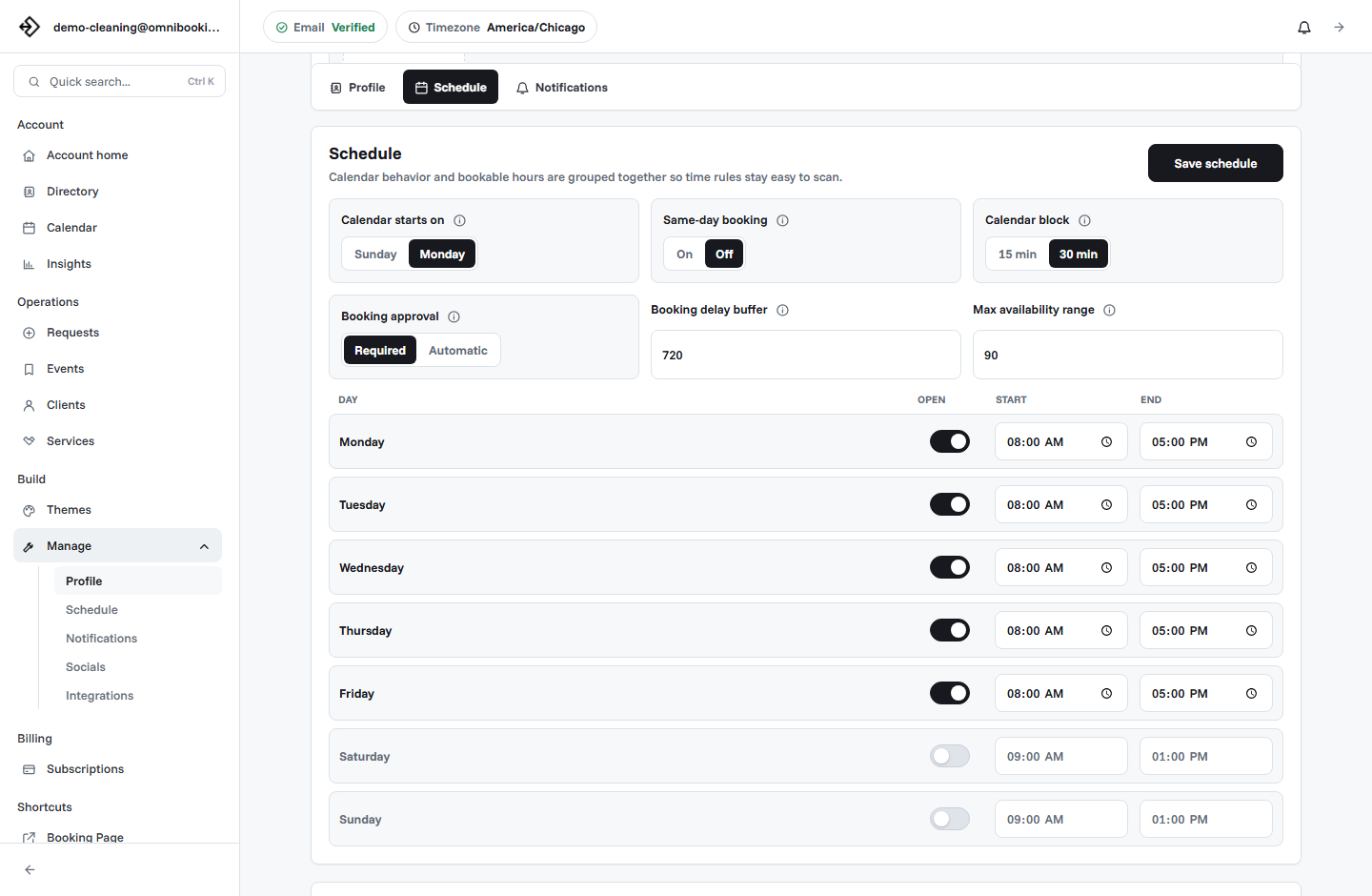
Start with the real appointment, not the calendar slot
A calendar may show that 10:00 to 11:00 is open. The real question is whether you can deliver the service, reset, answer notes, travel, prepare, and still be ready for the next client. Overbooking often happens when availability is built from empty space instead of actual appointment work.
Before opening times to clients, write down what each service really requires. A one-hour appointment may need 10 minutes of setup, 5 minutes of notes, and 15 minutes before the next client. A home-service visit may need travel and access time. A consultation may need review time before it is confirmed.
Choose the hours you actually want clients to book
Availability should be intentional. If you only want client appointments on Tuesday, Wednesday, and Thursday afternoons, publish those hours instead of opening the whole workweek. This keeps your booking page clear and prevents clients from claiming time you meant to use for admin, errands, project work, or recovery.
Think of booking availability as a client-facing offer. You are not showing every moment you are awake or near your desk. You are showing the appointment windows you are ready to protect.
Client hours
The blocks clients can book directly, such as weekday afternoons or Saturday mornings.
Admin hours
Private time for messages, invoicing, prep, follow-up, errands, and calendar cleanup.
Protected time
Breaks, travel, school pickup, gym transitions, supply runs, or any time that should stay closed.
Set service durations carefully
Service duration is one of the biggest drivers of overbooking. If a service takes 75 minutes in real life but is listed as 60 minutes online, every booking creates pressure. The schedule may look full but manageable until appointments start running late.
Use separate durations for different services instead of forcing every appointment into the same block. A first consultation, recurring appointment, estimate, deep clean, training session, tutoring lesson, and follow-up visit may all need different timing.
Add a booking delay
A booking delay controls how soon a client can book before an appointment starts. Without one, a client might reserve a slot in 20 minutes, leaving you no time to prepare, drive, review notes, or even see the notification.
The right delay depends on the business. A virtual consultation may only need a few hours. A home-service appointment may need a full day. A trainer, tutor, stylist, or photographer may need enough time to prepare materials, equipment, location details, or client context.
Limit how far ahead clients can book
Future booking range matters when your schedule changes often. If clients can book six months ahead but your work, school, childcare, staffing, or project calendar changes every few weeks, you may create appointments you later need to move.
A shorter booking range keeps public availability closer to reality. Many solo service businesses can start with 30 to 90 days. Businesses with seasonal demand, rotating staff, or project-based work may want a shorter range.
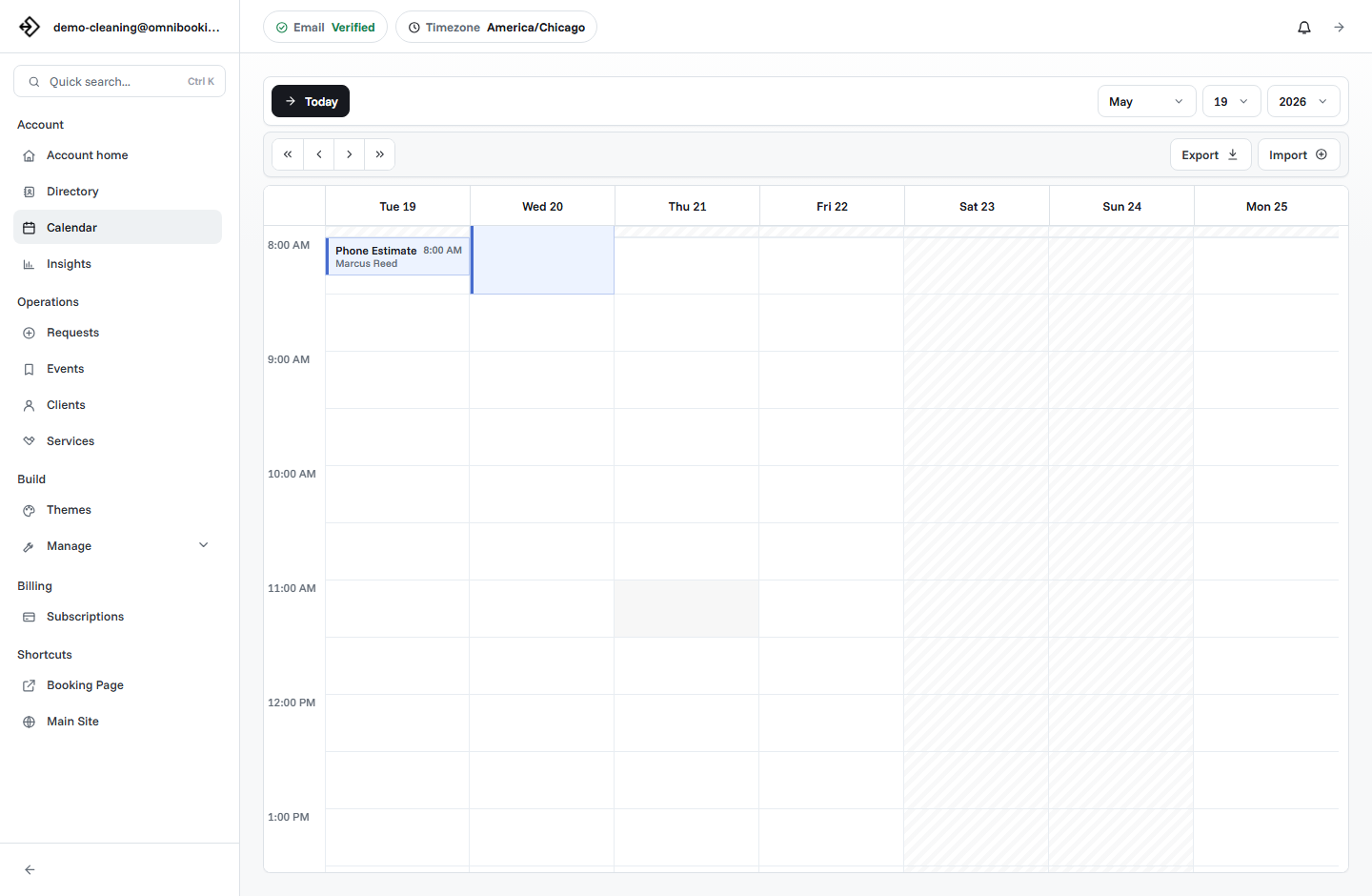
Block time for breaks, travel, and reset work
Most overbooking is not caused by too many clients choosing the exact same time. It is caused by the invisible time between appointments. Breaks, travel, notes, cleanup, setup, payment follow-up, and client messages all need space somewhere.
If those tasks are not represented in the calendar, the booking page will treat them as available time. Block them intentionally, especially around appointments that require movement or emotional energy.
- Lunch, short breaks, and end-of-day wrap-up.
- Travel between client locations, gyms, salons, studios, or homes.
- Prep time before first-time clients or complex appointments.
- Cleanup and reset time after hands-on services.
- Admin time for invoices, reminders, approvals, and follow-up.
- Personal commitments that should never be bookable.
Use booking approval when availability is conditional
Sometimes a time may be open, but the appointment should still be reviewed. That is common for estimates, first-time clients, service-area checks, complex projects, high-value sessions, or work where the client might choose the wrong service.
In those cases, booking approval protects your calendar. The client can request a time, but the appointment is not fully confirmed until you review the details. This is a better experience than accepting the booking instantly and then asking the client to reschedule.
Use instant booking
For repeat clients, fixed-price services, simple consultations, and appointment types with predictable timing.
Use booking requests
For uncertain scope, first-time clients, address review, custom work, or service types that need context.
Use consultation first
For work where the client needs help choosing the right service before booking the main appointment.
Build availability around service categories
Not every service should share the same booking window. You may want consultations in the morning, hands-on appointments in the afternoon, and admin time on Fridays. Grouping availability by service category helps keep similar work together.
This is especially useful for businesses that switch equipment, locations, or mental context during the day. A calendar with grouped appointment blocks is easier to manage than a day that jumps between unrelated service types.
Example availability setup
Here is a simple setup for a solo service business that wants online booking without losing control of the week.
Common availability mistakes
Most availability problems are fixable once you know where the pressure comes from. Review your schedule after the first week of public booking and look for patterns.
- Opening every work hour instead of dedicated client appointment blocks.
- Using one duration for every service type.
- Allowing same-day booking when preparation or travel is required.
- Letting clients book too far ahead when your schedule is still uncertain.
- Leaving breaks, admin, travel, setup, and cleanup out of the calendar.
- Using instant booking for appointments that should be reviewed first.
- Ignoring service area, location, or staff constraints.
Booking availability checklist
Use this checklist before publishing or updating your appointment availability.
- Each service has a realistic duration.
- Client-facing hours match the days and times you actually want booked.
- Booking delay gives you enough notice before new appointments.
- Future booking range matches how stable your schedule is.
- Breaks, admin, prep, cleanup, and travel are blocked.
- Conditional appointments use approval instead of instant confirmation.
- Reminder emails explain the time, place, status, and next step.
- The booking page has been tested from a client's point of view.
How Omnibooking helps manage availability
Omnibooking gives service businesses a hosted booking page, custom services, availability controls, booking delays, maximum booking ranges, booking requests, reminders, calendar files, and service-area support. That makes it easier to publish useful appointment times without exposing every open space on your calendar.
For broader setup help, read the booking page guide, the online booking checklist, and the guide to appointment scheduling vs online booking. If you are still choosing a setup, compare options on the plans page or start from the best online booking system guide.
Related resources
Calendar Blocks and Scheduling
Choose start-time increments that match your services and appointment lengths.
Same-Day Booking Rules
Decide how much notice clients need before an appointment can start.
Prevent Double Booking
Use availability rules with overlap checks, blocked time, and pending request protection.
Reduce No-Shows With Reminders
Pair realistic availability with reminders that help clients show up prepared.
FAQs
What does booking availability mean?
Booking availability is the set of public days, times, rules, and limits that decide when clients can book appointments through your booking page.
How do I prevent overbooking?
Use realistic service durations, block breaks and travel time, add a booking delay, limit how far ahead clients can book, and use booking approval for appointments that need review.
Should I allow same-day booking?
Same-day booking can work for simple, low-prep services. If appointments require travel, supplies, client review, or preparation, use a booking delay so clients cannot book too close to the start time.
How far ahead should clients be able to book?
Many solo service businesses can start with 30 to 90 days. Use a shorter range if your schedule changes often and a longer range if your business has stable hours and predictable staffing.
When should I use booking approval?
Use booking approval when the appointment depends on scope, location, client fit, service area, price, or details that should be reviewed before the booking is confirmed.