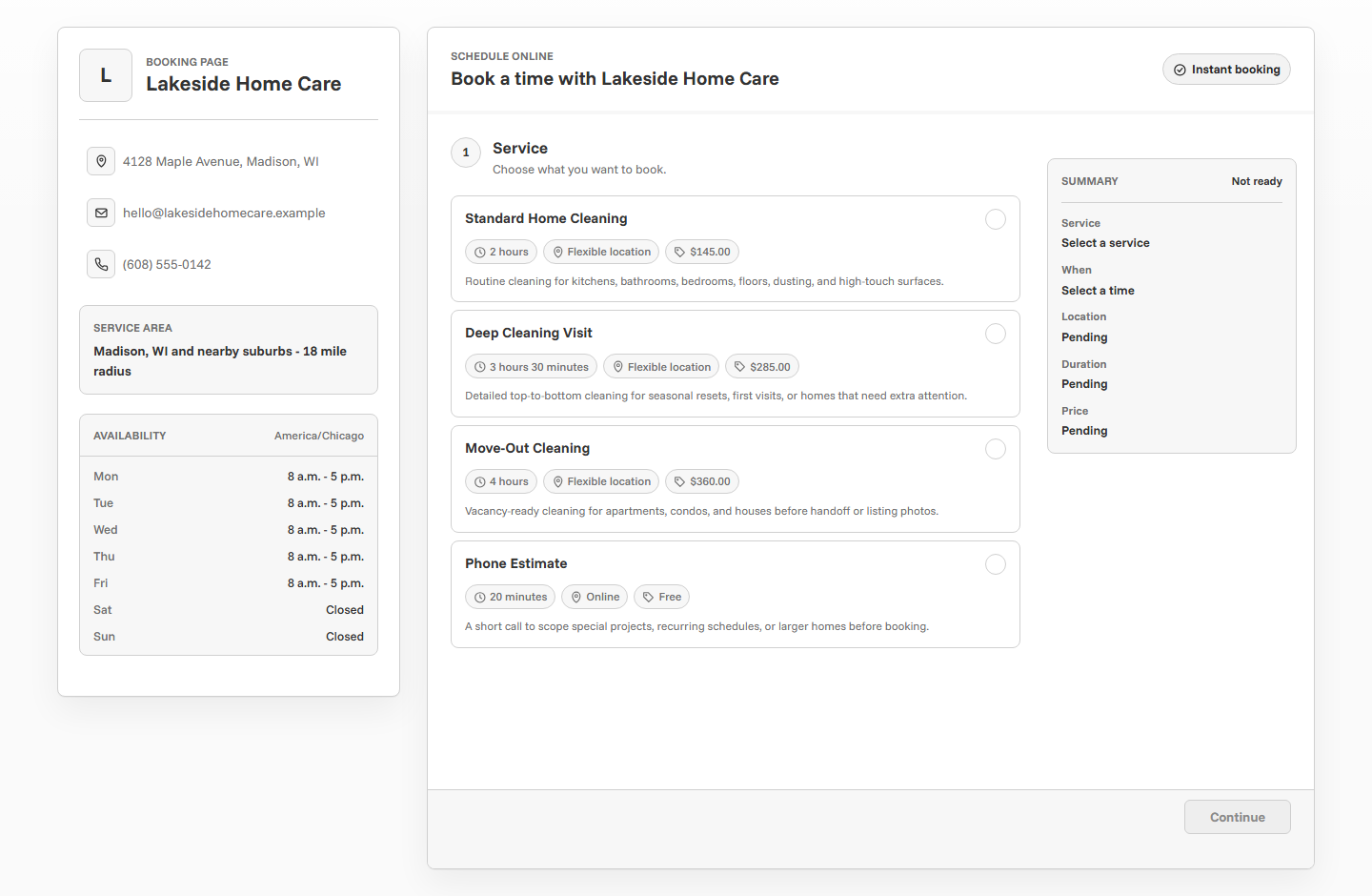
Online booking for photographers should do more than show open dates. A good photography booking page helps clients choose the right session, understand the price or deposit, share useful notes, reserve a realistic time, and receive clear confirmation and reminders. The goal is a smoother path from inquiry to booked shoot without losing the personal feel of the client relationship.
Why photographers need a different booking flow
Photography appointments are not all the same shape. A portrait session, brand shoot, mini session, wedding inquiry, event consultation, and editing call each require different timing, preparation, pricing, and follow-up. A generic appointment scheduler can make those differences hard for clients to understand.
The right booking flow gives clients structure without removing judgment. Repeatable sessions can be booked directly. Bigger or more variable work can start as a consultation or request. Deposits can protect limited dates. Reminders can keep clients prepared for arrival time, location, wardrobe, and next steps.
Set up session types clients understand
Session names are one of the most important parts of a photography booking page. Clients should immediately recognize which option fits them. Avoid internal package labels unless the page also explains what they mean.
Use direct booking for repeatable sessions
Direct booking works well when the session is clear enough for a client to choose without a long conversation. Portraits, headshots, mini sessions, graduation photos, family sessions, and short consults are good candidates if the price, duration, and location are predictable.
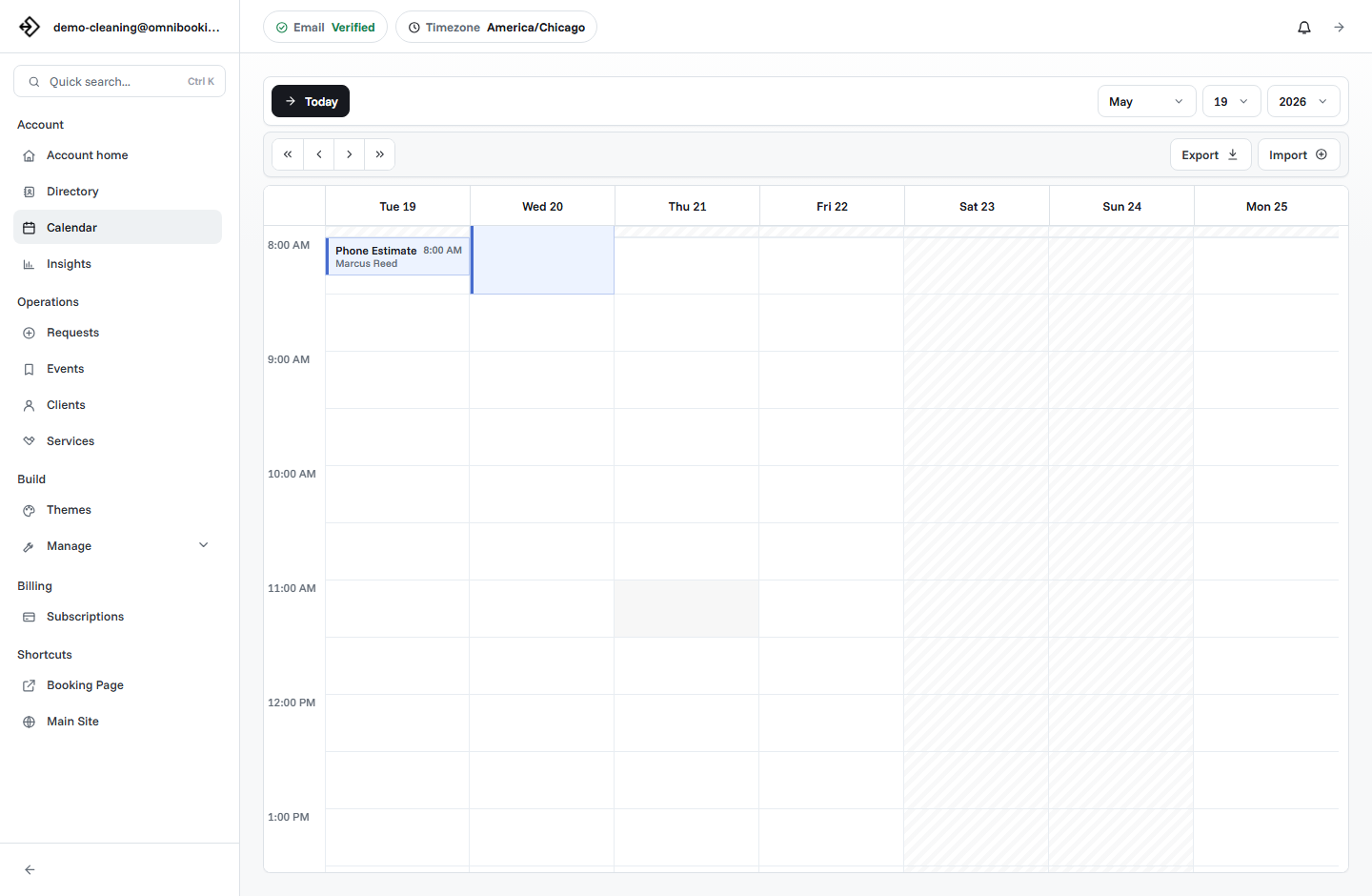
- The session has a standard duration.
- The price or deposit is clear.
- The location is known or easy to choose.
- The client can prepare from written instructions.
- You do not need to review the request before holding the time.
Use requests or consultations for custom work
Some photography work should not be booked instantly. Weddings, large events, commercial shoots, travel sessions, and projects with uncertain scope usually need a conversation first. In those cases, the booking page can still help by turning the first inquiry into an organized consultation.
Instead of listing "Wedding Photography" as a normal appointment slot, create a Wedding Inquiry Call or Event Coverage Consultation. That makes the next step easy for the client while protecting your calendar from being blocked by a project you have not reviewed.
Direct booking
Best for portraits, mini sessions, headshots, and fixed offers.
Booking request
Best when you want to review client details before confirming the time.
Consultation
Best for larger sessions, event work, custom pricing, and planning-heavy shoots.
Decide when to require deposits
Deposits are useful when a session blocks valuable time on the calendar. They can reduce no-shows, make the booking feel committed, and protect limited weekend or golden-hour availability. They are especially helpful for mini sessions, portraits, brand shoots, and other fixed-price offers.
Deposits are less useful when the final price depends on scope. If a commercial project or event needs a custom quote, use the booking page to schedule a consultation first, then handle the quote after details are clear.
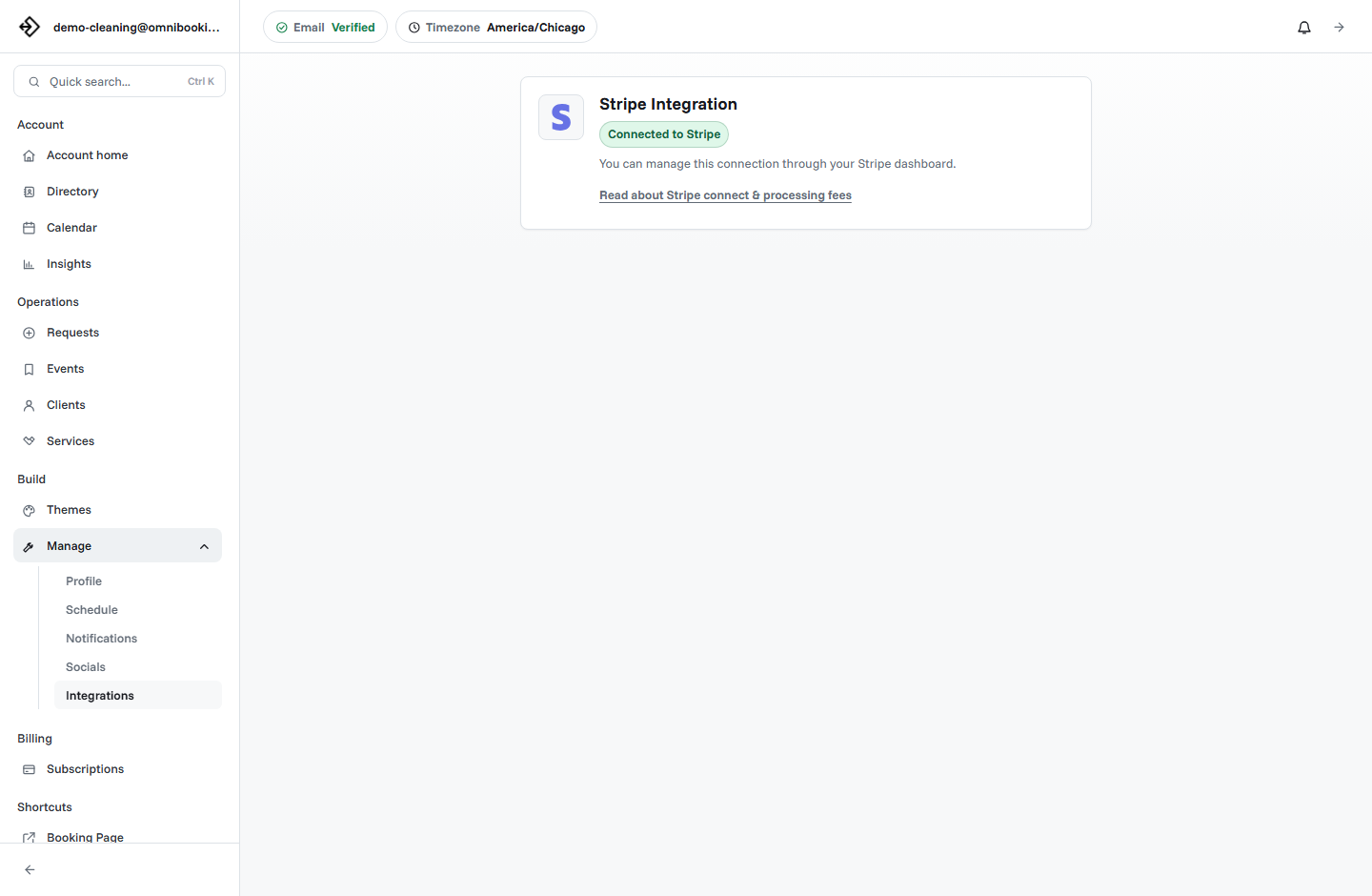
Omnibooking supports paid booking through Stripe Connect for fixed-price services. The Stripe Connect paywalls guide explains how to connect Stripe and require payment before booking.
Collect the right client notes
A photography booking page should collect enough information to make the session easier, but not so much that the client gives up before booking. Ask for details that affect preparation, location, timing, or creative direction.
- What type of session are you booking?
- How many people will be photographed?
- Do you have a preferred location?
- What is the main goal for the session?
- Do you have timing constraints or a deadline?
- Is there anything I should know before the shoot?
Keep sensitive or complex creative planning for follow-up communication. The booking page should capture the first useful layer of context, then confirmation emails and reminders can carry the operational details.
Make availability session-friendly
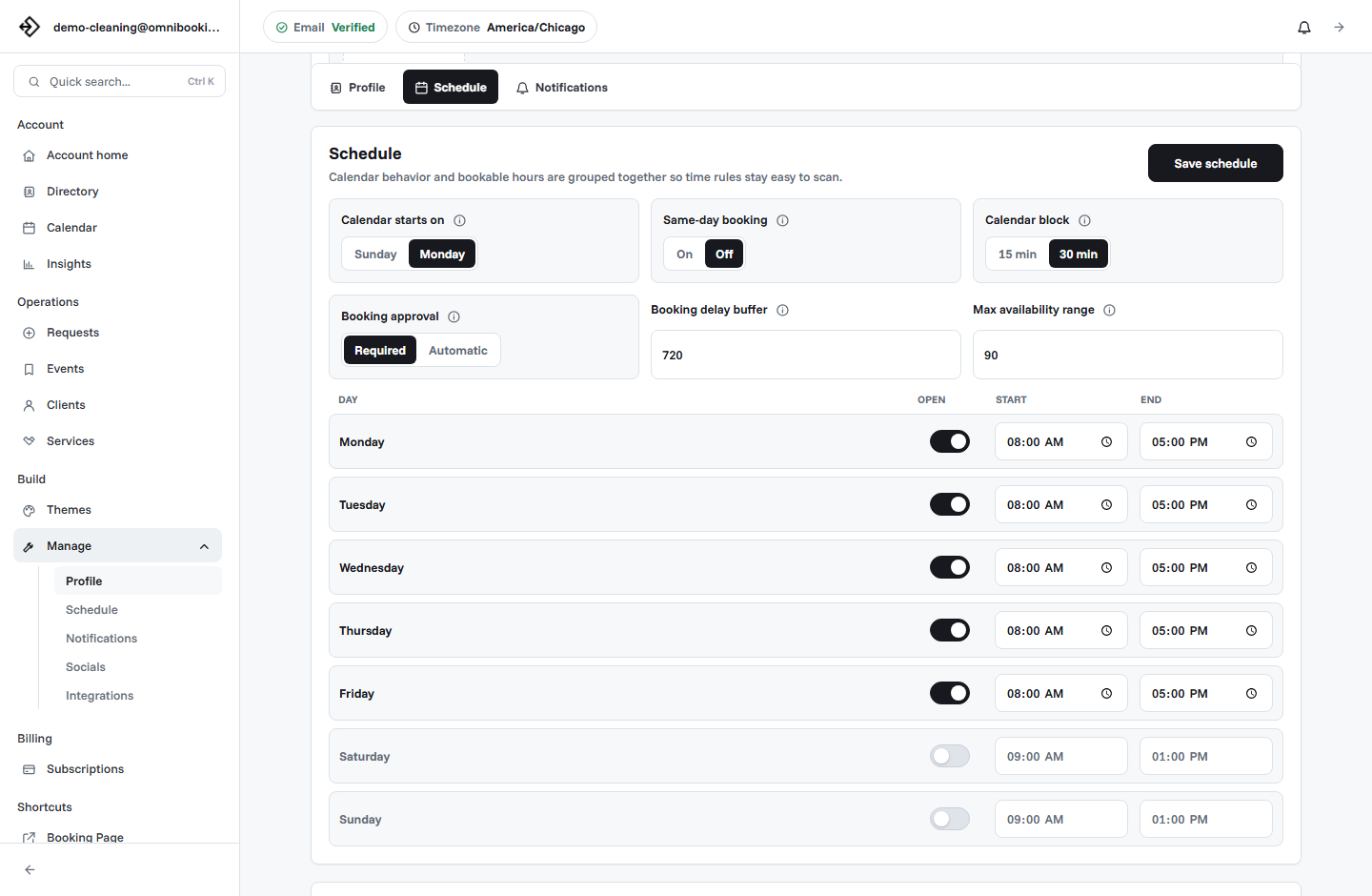
Photographers often need more schedule control than a simple open calendar. Outdoor sessions may depend on light. Studio sessions may need setup time. Event calls may fit on weekdays, while shoots may belong on evenings or weekends.
Use reminders to reduce missed or messy sessions
Reminders are not just about preventing no-shows. For photographers, reminders can help clients arrive prepared. A good reminder can mention location, arrival time, what to bring, parking, wardrobe notes, weather considerations, and how to contact you if something changes.
Confirmation email
Confirms the session, date, time, location, payment status, and what happens next.
Reminder email
Helps the client remember arrival details and preparation before the shoot.
Calendar file
Makes the appointment easier to save alongside work, family, or event plans.
For more general setup, the booking page guide covers the core page elements clients need before they schedule.
Photography booking page checklist
Use this checklist before sharing a photography booking link publicly.
- Each session has a clear name clients recognize.
- Durations include setup, transition, and travel where needed.
- Prices, deposits, or quote expectations are visible.
- Availability matches the real shooting schedule.
- Custom or high-scope work starts with a consultation or request.
- Client questions capture the notes you need before the shoot.
- Confirmation and reminder language sets clear expectations.
- The page looks trustworthy on mobile.
Example setup for a portrait photographer
A portrait photographer might start with four services: Portrait Session, Family Session, Brand Shoot Consultation, and Mini Session. The first two can be direct booking if the location and pricing are predictable. The brand shoot can start as a consultation. The mini session can require payment because the slots are limited.
How Omnibooking helps photographers
Omnibooking gives photographers a hosted booking page, custom services, availability controls, reminders, calendar files, booking requests, and paid booking through Stripe Connect. That means a photographer can publish a simple booking flow for repeatable sessions while still keeping control over custom or high-value work.
To see the photography-specific page, visit Omnibooking for Photographers. If you are still planning the structure of your page, start with booking page examples or the online booking checklist.
Related resources
Booking Page Examples
Compare the photography flow with other service-business page patterns.
Same-Day Booking Rules
Decide which sessions should allow short notice and which need planning time.
Reduce No-Shows With Reminders
Use reminders, prep notes, and deposits to protect session time.
Set Booking Availability
Shape your calendar around shoots, editing, travel, and consultations.
FAQs
What is the best booking software for photographers?
The best booking software for photographers lets you list session types, control availability, collect client notes, send confirmations and reminders, and take deposits or payments for fixed-price sessions.
Should photographers allow instant booking?
Photographers should allow instant booking for clear, repeatable sessions. For weddings, commercial work, events, or custom shoots, it is usually better to use a consultation or approval workflow first.
Should photography booking pages require deposits?
Deposits are useful for sessions that reserve limited time, especially fixed-price portraits, mini sessions, and weekend appointments. For custom work, collect details first and quote after reviewing scope.
What should photographers ask on a booking form?
Ask for session type, group size, preferred location, session goals, timing constraints, and any notes that affect preparation. Keep deeper creative planning for follow-up messages or consultations.
How can photographers reduce no-shows?
Use confirmation emails, appointment reminders, calendar files, clear cancellation expectations, and deposits for higher-commitment sessions.