The best booking page examples are specific, not fancy. A strong service business booking page shows what clients can book, how long it takes, what it costs, where it happens, when you are available, and what happens after the request is submitted. Use these examples as patterns for building a page that feels clear before it feels clever.
What good booking pages have in common
Booking pages work best when they answer practical questions quickly. Clients want to know whether they are in the right place, which service fits their need, whether the available times are realistic, and whether their booking is confirmed or waiting for approval.
The examples below are written for different types of service businesses, but the structure is similar: clear service names, accurate durations, trust-building details, realistic availability, and a simple next step.
- A recognizable business or provider name.
- Service names that match what clients ask for.
- Short descriptions that explain fit, scope, and preparation.
- Durations and prices when they help the client choose.
- Availability that reflects the real working schedule.
- Confirmation, approval, payment, or reminder expectations.
1. Photographer booking page
A photographer booking page should help clients choose the right session type before they pick a time. The page can separate portraits, events, consultations, mini sessions, and editing calls so clients do not guess from a generic calendar slot.
Good services
Portrait Session, Event Coverage Call, Mini Session, Brand Shoot Consultation.
Helpful details
Location options, session length, image delivery expectations, deposit rules, and notes about wardrobe or arrival time.
Useful CTA
Book your session or request a consultation before choosing a larger package.
See the online booking for photographers guide or the photographer booking solution for a more specific version of this flow.
2. Pet groomer booking page
Pet grooming pages need more context than a simple appointment scheduler. A small dog bath, full groom, nail trim, and de-shedding appointment can require different durations, prices, and preparation notes.
A groomer may also use approval-based booking if appointment length depends on breed, coat condition, or behavior notes. That keeps the page convenient without promising a time slot that may not fit the work. See the pet grooming booking software guide or the pet groomer booking solution for a grooming-specific setup.
3. Personal trainer booking page
A trainer booking page should separate new-client appointments from existing-client sessions. Someone booking a first assessment may need to share goals, limitations, and experience level, while a regular client may only need to choose a training slot.
For this kind of page, reminders matter because the client may book outside normal business hours and forget the session by the next morning. See the scheduling software for personal trainers guide or online booking for personal trainers for a fitness-specific example.
4. Hair stylist or beauty pro booking page
Beauty booking pages need careful service naming because similar services can take very different amounts of time. A trim, full color, color correction consultation, blowout, and bridal trial should not all share one generic appointment type.
Make timing visible
Show duration so clients understand why color services take longer than quick maintenance appointments.
Use deposits selectively
Deposits can make sense for long appointments, bridal services, or limited weekend availability.
Collect useful notes
Ask about current hair color, goals, allergies, and whether the client has inspiration photos.
A good stylist page also explains cancellation expectations and what happens after booking. For longer services, approval or payment can prevent the calendar from being filled by low-commitment requests. See the online booking for hair stylists and beauty pros guide or booking pages for stylists for a beauty-focused setup.
5. Cleaning service booking page
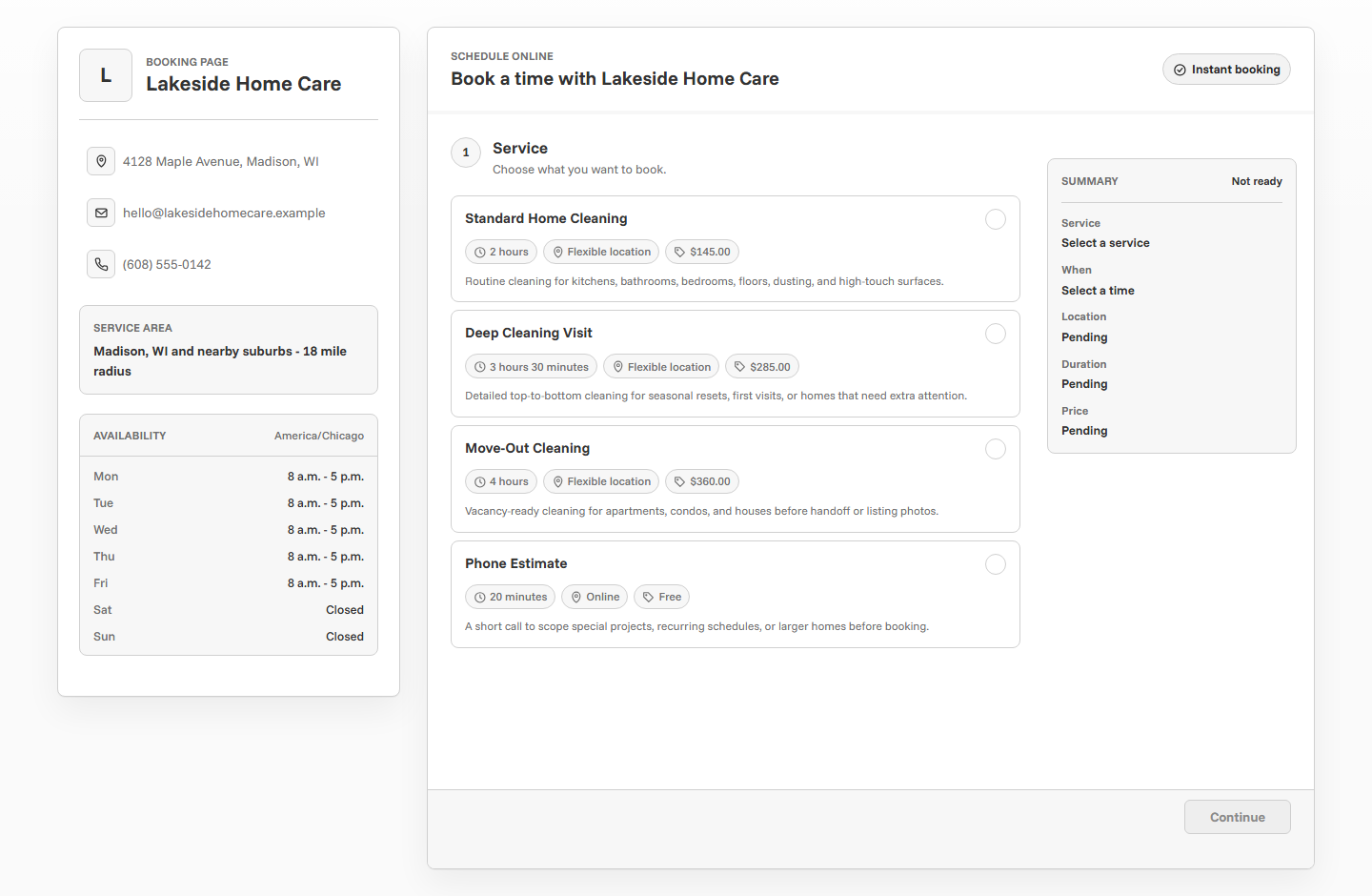
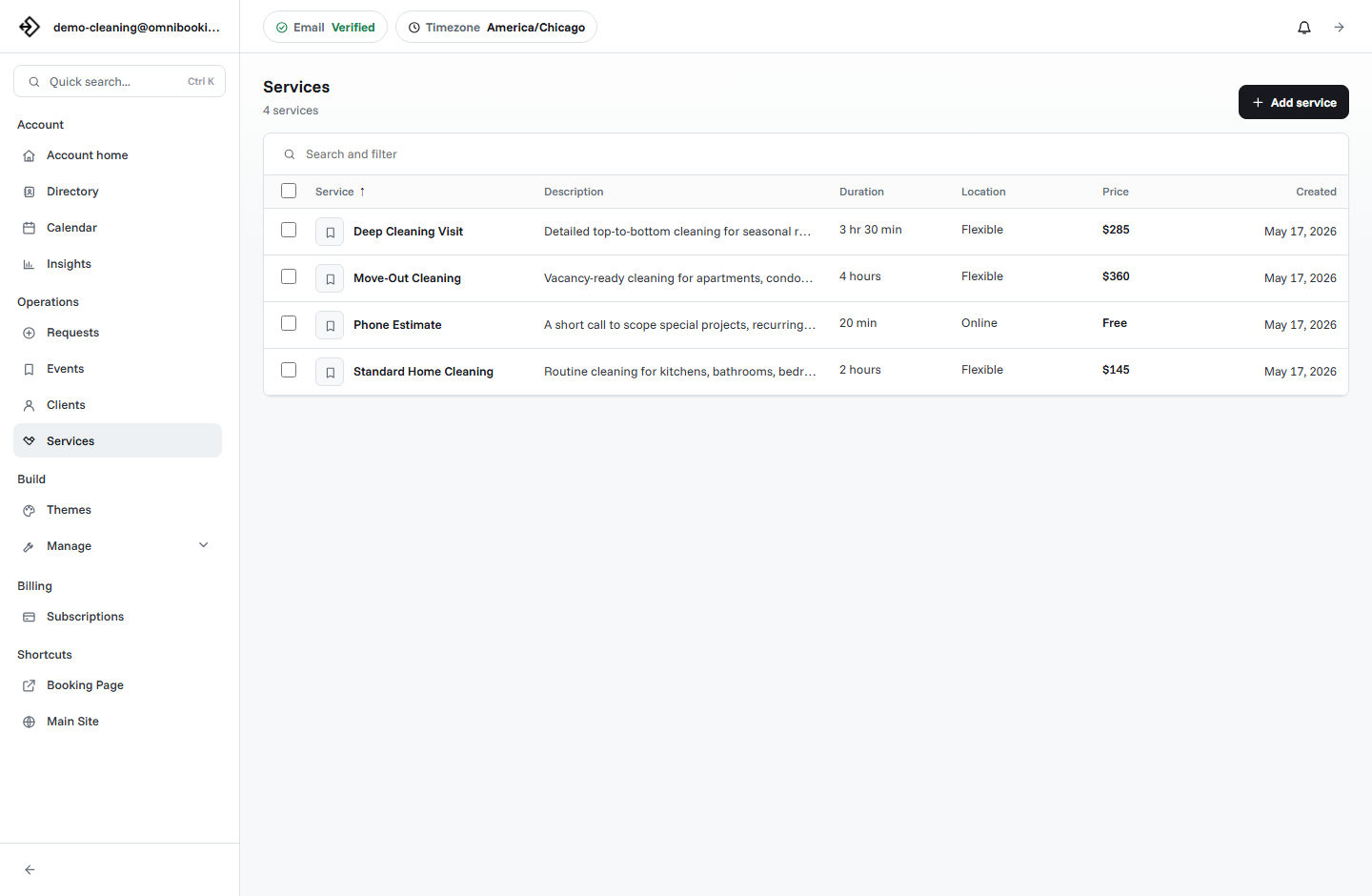
Cleaning service booking pages should help clients choose by property type, scope, and timing. A standard clean, deep clean, move-out clean, and recurring cleaning visit are different enough to deserve separate services.
- Service area or ZIP codes served.
- Property size assumptions or room-count guidance.
- Whether supplies are included.
- Access instructions, pets, parking, and special requests.
- Whether the booking is confirmed immediately or reviewed first.
If travel time matters, keep availability realistic and avoid opening back-to-back appointments across a large service area. See the cleaning service booking software guide or the cleaning service booking page for home-service positioning.
6. Contractor estimate booking page
Contractors often need estimate requests more than instant job bookings. The page should gather enough detail to decide whether the project is a fit and how much time the estimate should take.
A contractor booking page should avoid promising full project availability from a short appointment slot. Frame the page around estimates, consultations, and next steps. See the contractor booking software guide or contractor booking solution for a more tailored example.
7. Tutor booking page
Tutoring booking pages should make the student context easy to share. Parents and students may need different services for test prep, homework help, recurring lessons, or a first consultation.
Service examples
Math Tutoring, Reading Support, Test Prep, Parent Consultation, Study Skills Session.
Helpful questions
Student grade, subject, goals, parent contact, online or in-person preference, and current challenge.
Availability pattern
After-school, evening, and weekend blocks with limits that prevent an overloaded teaching schedule.
The page should also make confirmation emails clear because a parent may book while the student is not present. See the scheduling software for tutors guide or scheduling software for tutors for education-specific positioning.
8. Consultant or small business booking page
Consultants and small service businesses often need a polished first appointment flow. The page should make the first call feel intentional, not like an open calendar anyone can fill with vague requests.
Use service names that signal the outcome of the meeting: Discovery Call, Project Planning Session, Strategy Review, Onboarding Call, or Existing Client Check-In. Add a short description that explains who the appointment is for and what the client should prepare.
9. Local mobile service booking page
Mobile services need location clarity. A page for a mobile notary, repair technician, pet service, cleaner, or coach should explain where service is available and what information the client must provide.
- Service area or radius.
- Address collection before confirmation.
- Travel-time-aware availability.
- Parking, access, or gate instructions.
- Price notes for travel fees, estimates, or variable scope.
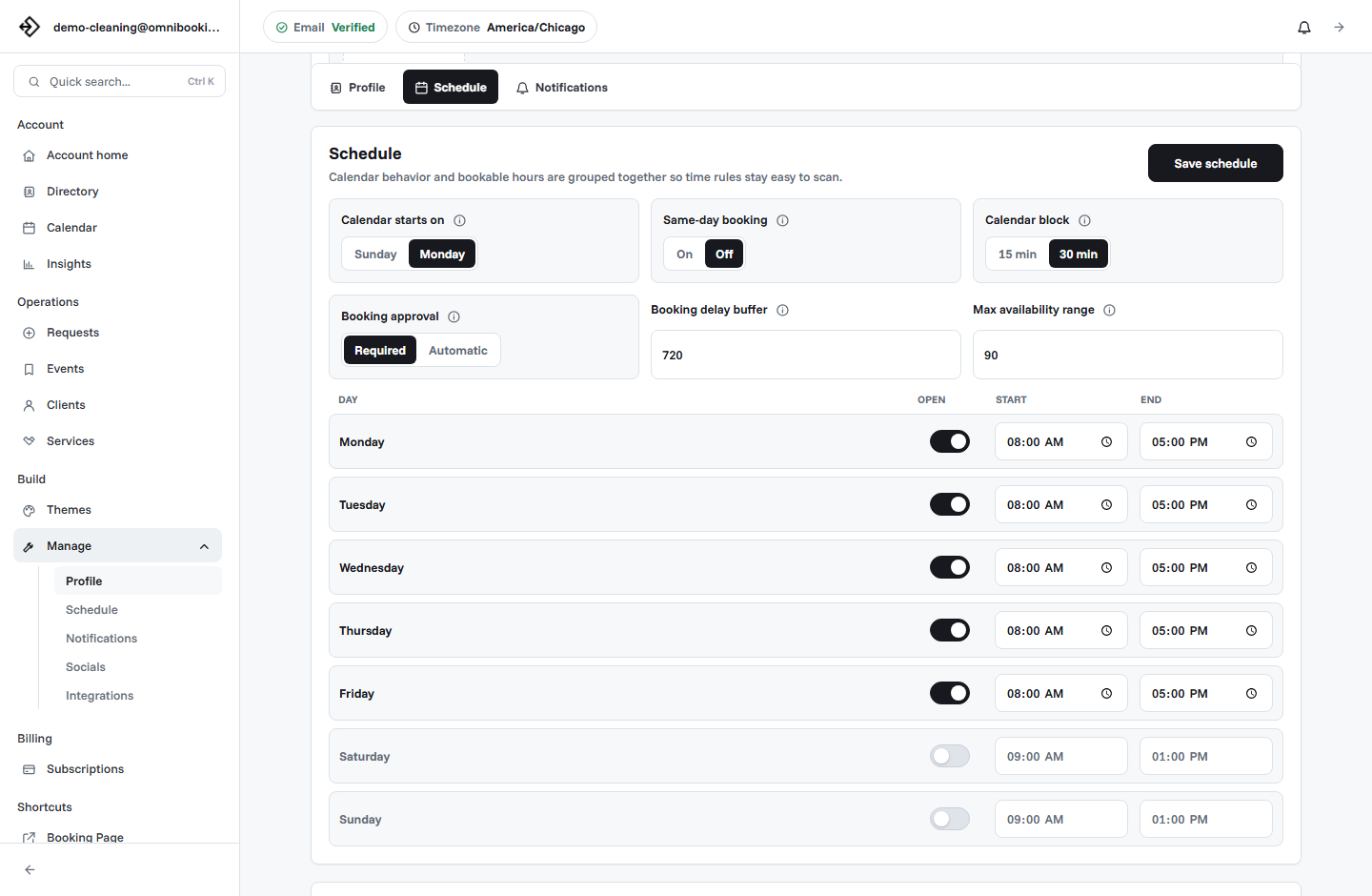
Mobile booking pages should be careful with same-day availability. If the provider needs travel time, setup time, or route planning, the page should include enough booking delay to keep the schedule workable.
10. Paid appointment booking page
Some booking pages should collect payment before the appointment is reserved. This is useful for fixed-price sessions, consultations, classes, deposits, and services where no-shows create real revenue loss.
Good paid services
Consultations, private lessons, deposits, assessments, fixed-price sessions, and limited-capacity appointments.
Be careful with
Variable-scope jobs, estimate requests, or services where the final price depends on inspection.
Important copy
Explain whether payment confirms the appointment, reserves the slot, or starts a review process.
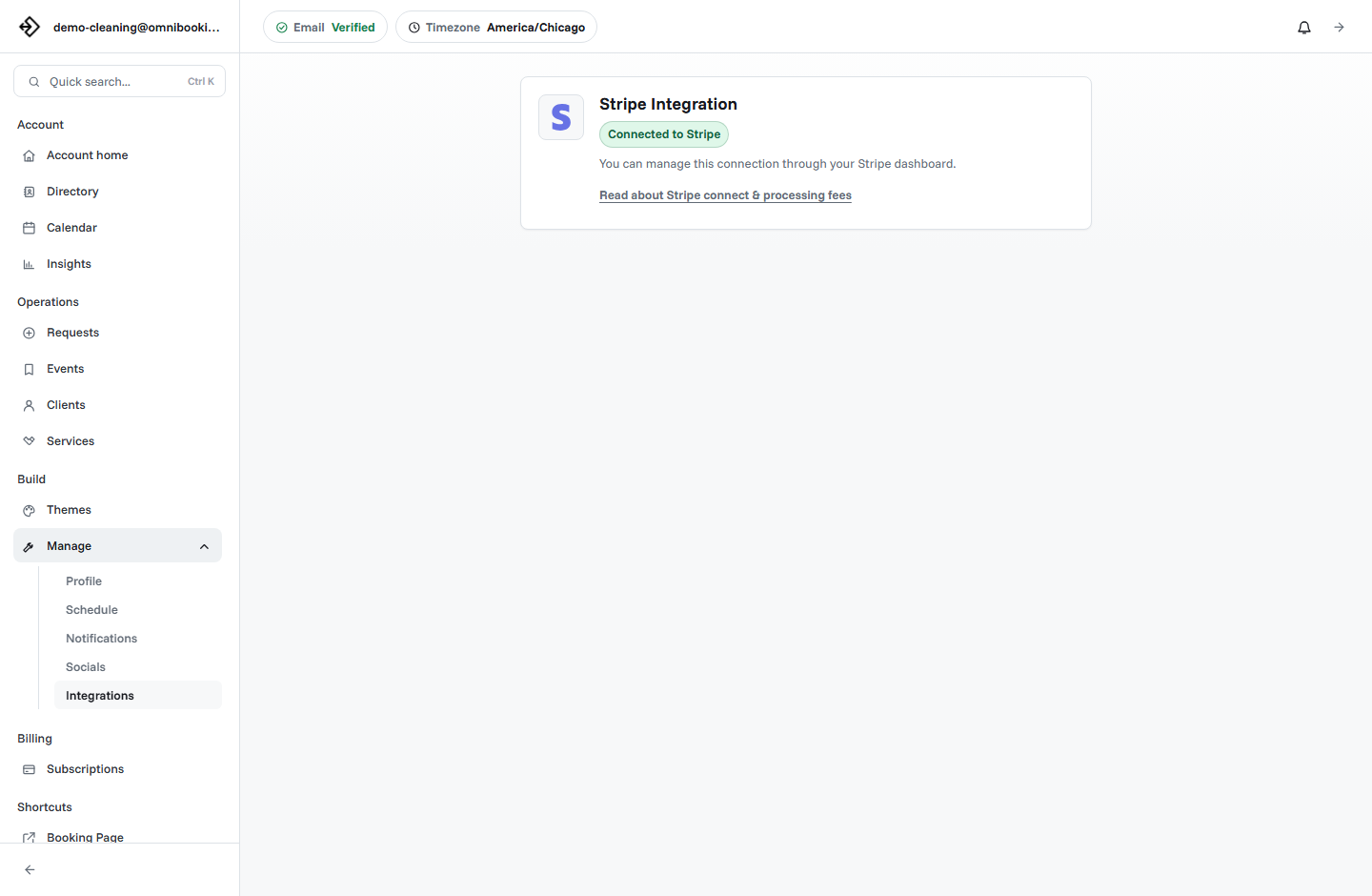
For setup details, read Stripe Connect paywalls for booking pages.
Booking page example framework
You can adapt these examples to almost any service business by filling in the same core pieces. Start with the client decision, then work backward into the page content.
Common mistakes to avoid
Most weak booking pages fail because they make the client do too much interpretation. If the page feels vague, the client sends a message instead of booking, which defeats the purpose of self-serve scheduling.
- Using generic service names like "Appointment" or "Standard Service".
- Leaving prices blank when price affects the decision.
- Opening more availability than you can realistically serve.
- Using one service for appointments with very different durations.
- Skipping confirmation or approval expectations.
- Forgetting contact, location, or service area details.
Build your own example in Omnibooking
Omnibooking gives small service businesses a hosted booking page, service setup, availability controls, reminders, payments through Stripe Connect, and booking page themes. Start with the simplest version of your page, then refine services and rules once real clients use it.
If you are building your first page, use the online booking checklist and the guide on how to create a booking page. When you are ready to improve the look of the page, compare theme and customization options on the pricing page.
Related resources
How to Create a Booking Page
Use this guide to turn the examples into a clear client booking flow.
Online Booking Checklist
Audit the page before you share it in messages, profiles, or ads.
Set Booking Availability
Make the times behind the page realistic before clients start choosing them.
Reduce No-Shows With Reminders
Add confirmations, reminders, and commitment rules after the page is live.
FAQs
What should a booking page example include?
A booking page example should include a business name, specific services, durations, prices when useful, availability, location or service area details, contact collection, and a clear confirmation or approval step.
How many services should I put on a booking page?
Start with the services clients request most often. Three to eight clear options are usually easier to use than a long list of similar services.
Should every booking page show prices?
Show prices for fixed-price services, deposits, sessions, and appointments where price affects commitment. If pricing depends on scope, explain that the booking starts a quote, consultation, or review process.
What is the best booking page layout?
The best layout puts business context, service choices, availability, client details, and confirmation in a simple flow. Clients should not have to search for the next step.
Can one booking page work for different service types?
Yes, as long as each service has its own name, duration, price or pricing note, and description. If the services have very different workflows, separate booking pages or approval rules may be easier to manage.