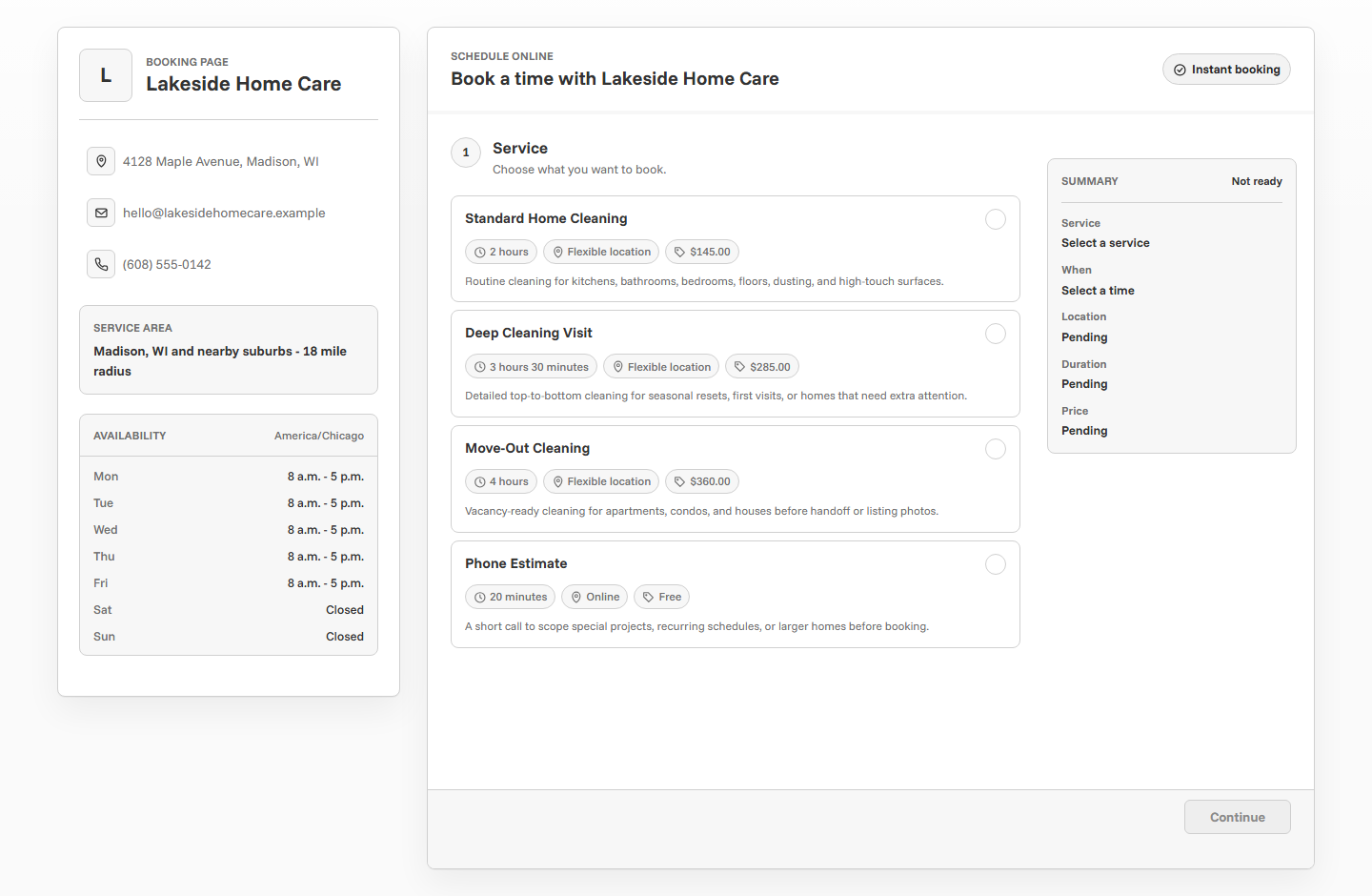
Online booking for hair stylists and beauty pros should make services easier to choose without letting the calendar become chaotic. A strong booking page explains service timing, separates quick appointments from long color work, collects useful client notes, supports deposits when needed, and sends reminders so clients know when to arrive and what to expect.
Why beauty booking needs careful setup
Hair and beauty appointments can look simple from the outside, but the timing can vary a lot. A trim, blowout, color correction consultation, full color, lash fill, brow appointment, bridal trial, and makeup session all create different demands on the day.
Good salon booking software for independent stylists does two things at once: it makes booking easier for clients and protects the provider from unrealistic appointments. The page should set expectations before the client reaches the calendar.
Start with service names clients understand
Service names should sound like what clients ask for, not like internal shorthand. If the service list is vague, clients may book the wrong appointment and create problems before they arrive.
Use durations that match the real work
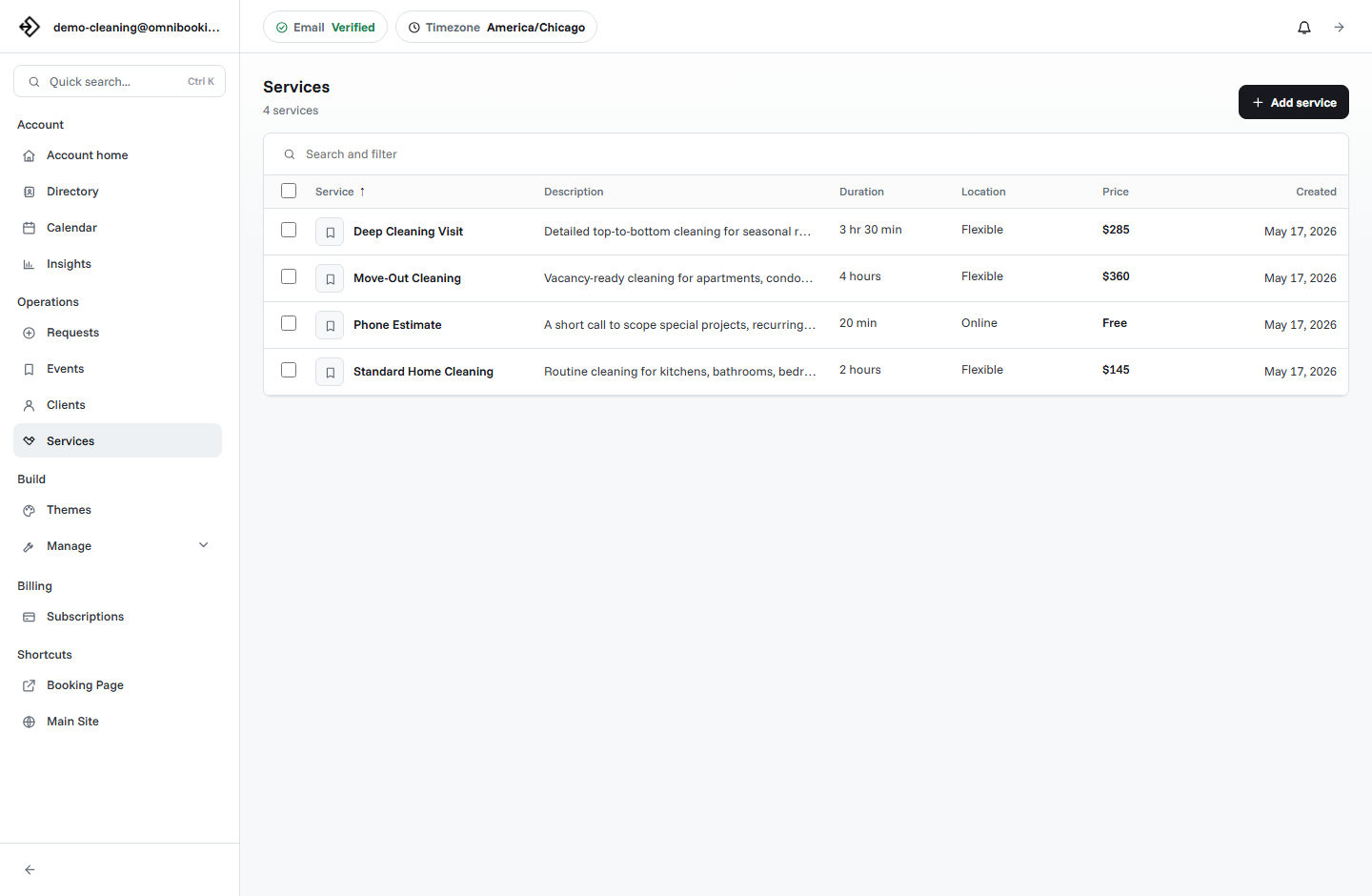
Beauty scheduling breaks when every service gets treated like the same appointment. A quick trim may fit between longer services. Color work may need processing time, cleanup, and room for unexpected adjustments. A consultation may be short but important because it protects a future long appointment.
- Cut, wash, styling, and cleanup time.
- Color processing and transition time.
- Consultation time for major changes or corrections.
- Breaks between longer appointments.
- Daily limits for services that require more focus or setup.
Separate consultations from full appointments
Some services should not be instantly booked as a full appointment. Color corrections, major transformations, bridal services, extensions, and custom beauty work often need a consultation first. That lets the stylist understand goals, current condition, timing, price range, and whether the client is a good fit for the service.
A consultation is still an online booking win. It gives the client a clear next step while protecting the calendar from a long appointment that has not been scoped.
Direct booking
Best for haircuts, trims, blowouts, brow appointments, lash fills, and other repeatable services.
Consultation first
Best for color correction, extensions, bridal services, or major transformations.
Booking request
Best when the stylist wants to review notes before accepting a long or limited slot.
Collect client notes that affect the appointment
Client notes help the stylist prepare, but the booking form should stay focused. Ask for details that affect timing, products, service fit, or follow-up. Save deeper conversation for the consultation or direct client communication.
- Is this your first appointment with me?
- What service are you hoping to book?
- What is your current hair color, length, or condition?
- Do you have allergies, sensitivities, or product preferences?
- Are you booking for an event or deadline?
- Is there anything I should know before your appointment?
Set availability around chair time
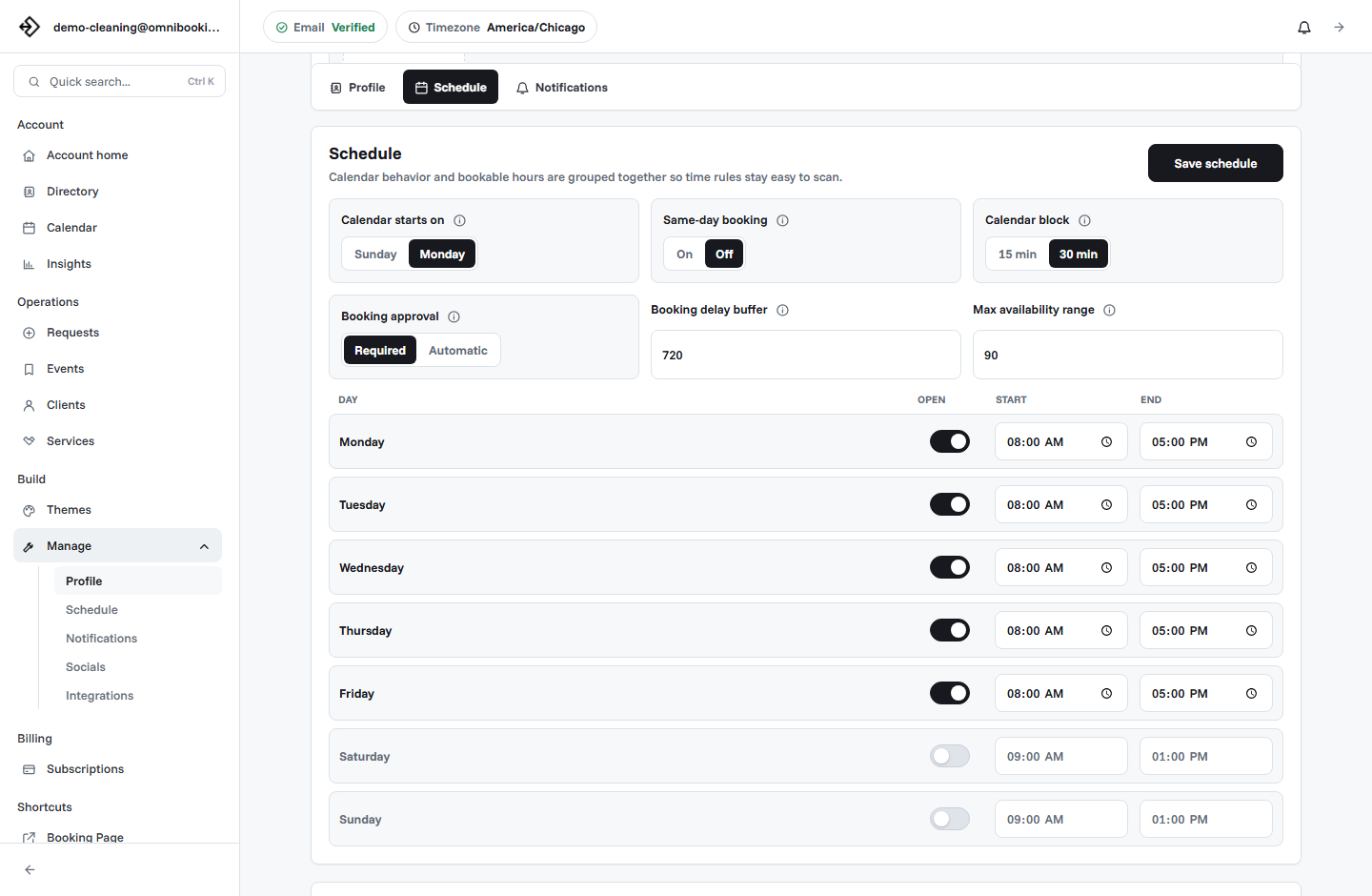
Independent stylists need schedule control. The booking page should reflect actual chair availability, not every empty hour in the week. If you rent a chair, share a salon space, work part-time, or reserve certain days for longer appointments, your availability rules should match that reality.
Use deposits for high-commitment appointments
Deposits can help protect appointments that take longer, require preparation, or are difficult to refill at the last minute. They are often useful for bridal trials, full color services, extensions, makeup sessions, or weekend slots.
Not every appointment needs payment before booking. For quick, repeatable services, reminders and cancellation expectations may be enough. For variable-price services, a consultation or deposit can work better than charging the full amount upfront.
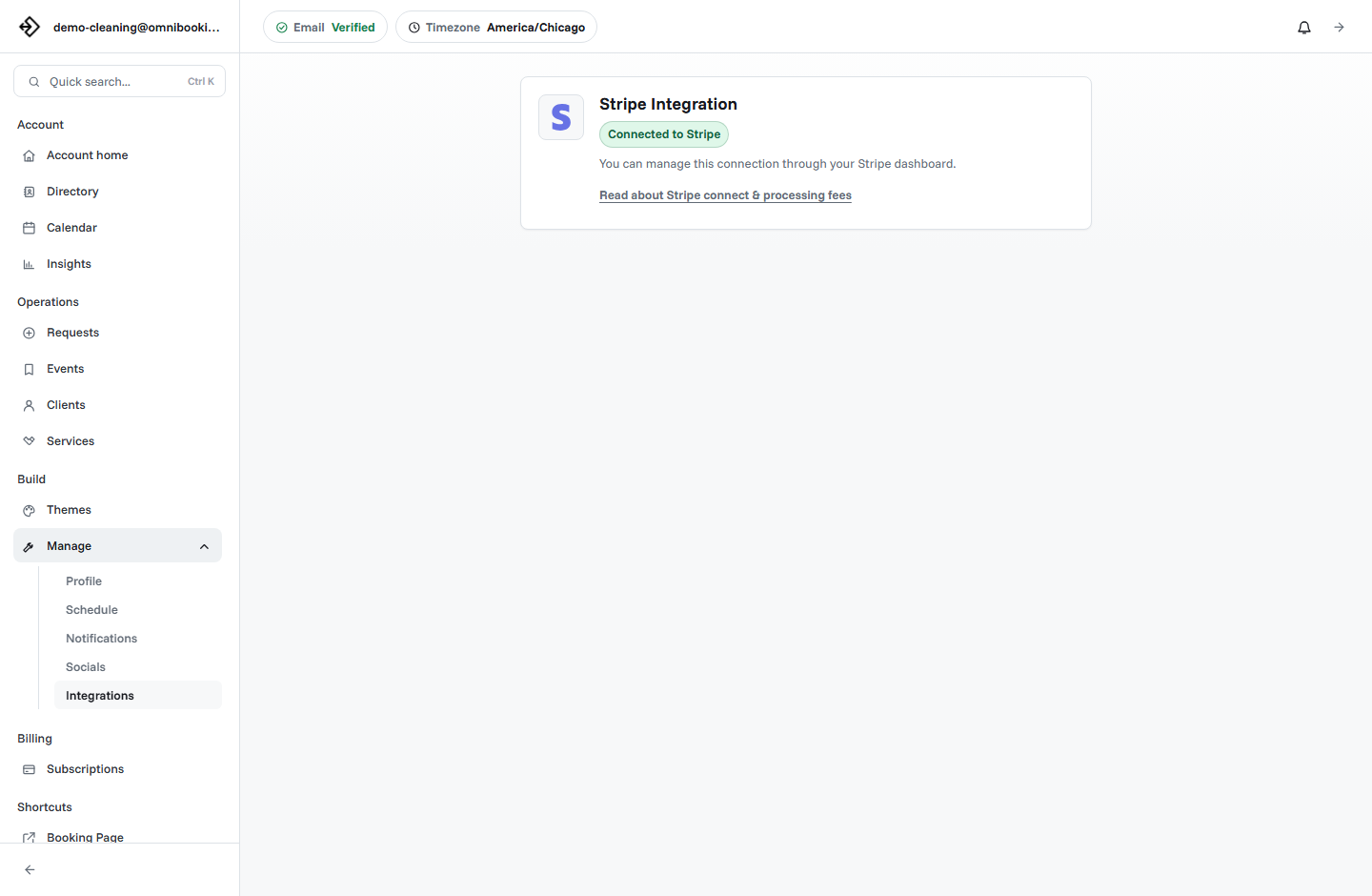
Omnibooking supports paid booking through Stripe Connect for fixed-price services. The Stripe Connect paywalls guide explains how paid booking works.
Send reminders that reduce friction
Reminder emails help clients remember the appointment, but they can also improve the appointment itself. A good reminder can include arrival time, address, parking, cancellation expectations, product prep, whether to arrive with clean hair, and what to do if the client is running late.
Confirmation
Confirms service, date, time, location, payment status, and whether the appointment is approved.
Reminder
Helps clients prepare and arrive on time with the right expectations.
Calendar file
Makes the appointment easier to save and less likely to be forgotten.
Example setup for an independent stylist
An independent stylist might start with five services: Haircut, Cut and Color, Color Consultation, Blowout, and Bridal Trial. The consultation protects complex work, while repeatable services can be booked directly with accurate durations.
Stylist booking checklist
Use this checklist before sharing a hair or beauty booking link publicly.
- Service names are easy for clients to understand.
- Durations match real chair time, processing time, and cleanup.
- Consultations are available for custom or high-scope services.
- Client notes collect the details needed before the appointment.
- Availability matches real salon, studio, or chair hours.
- Deposits are enabled only when price or deposit amount is clear.
- Reminders include arrival and preparation details.
- The booking page feels polished on mobile.
How Omnibooking helps stylists
Omnibooking gives hair stylists and beauty pros a hosted booking page, custom services, availability controls, booking requests, reminders, calendar files, and paid booking through Stripe Connect. That makes it easier to let clients book without giving up control over timing, deposits, and service fit.
See Omnibooking for Hair and Beauty Stylists for the stylist-specific solution page. For broader setup help, use the booking page examples, the booking page guide, or the online booking checklist.
Related resources
Calendar Blocks and Scheduling
Match start-time increments to cuts, color, consults, and chair time.
Reduce No-Shows With Reminders
Use reminders and deposits for longer or higher-commitment appointments.
Stripe Connect Setup and Fees
Connect payment when deposits should be required before booking.
Booking Page Examples
Compare beauty booking with other service page examples.
FAQs
What is the best booking software for independent stylists?
The best booking software for independent stylists supports custom services, accurate durations, availability controls, client notes, reminders, deposits, and a mobile-friendly booking page.
Should stylists allow instant booking?
Instant booking works well for clear, repeatable services. Consultations or approval workflows are better for color corrections, extensions, bridal services, and other custom appointments.
Should beauty pros require deposits?
Deposits can make sense for long appointments, bridal services, weekend slots, and services that are hard to refill if the client cancels late. They work best when the amount and policy are clear.
What should a stylist booking form ask?
Ask whether the client is new, what service they want, current hair or beauty context, allergies or sensitivities, event deadlines, and notes that affect timing or preparation.
How can stylists reduce no-shows?
Use confirmation emails, reminder emails, calendar files, clear cancellation expectations, and deposits for high-commitment services.