Scheduling software for personal trainers should make it easy for clients to book the right session while protecting the trainer's calendar. A good setup separates assessments, private training, program reviews, and recurring sessions; controls early, late, and weekend availability; sends reminders; and can collect payment or deposits when commitment matters.
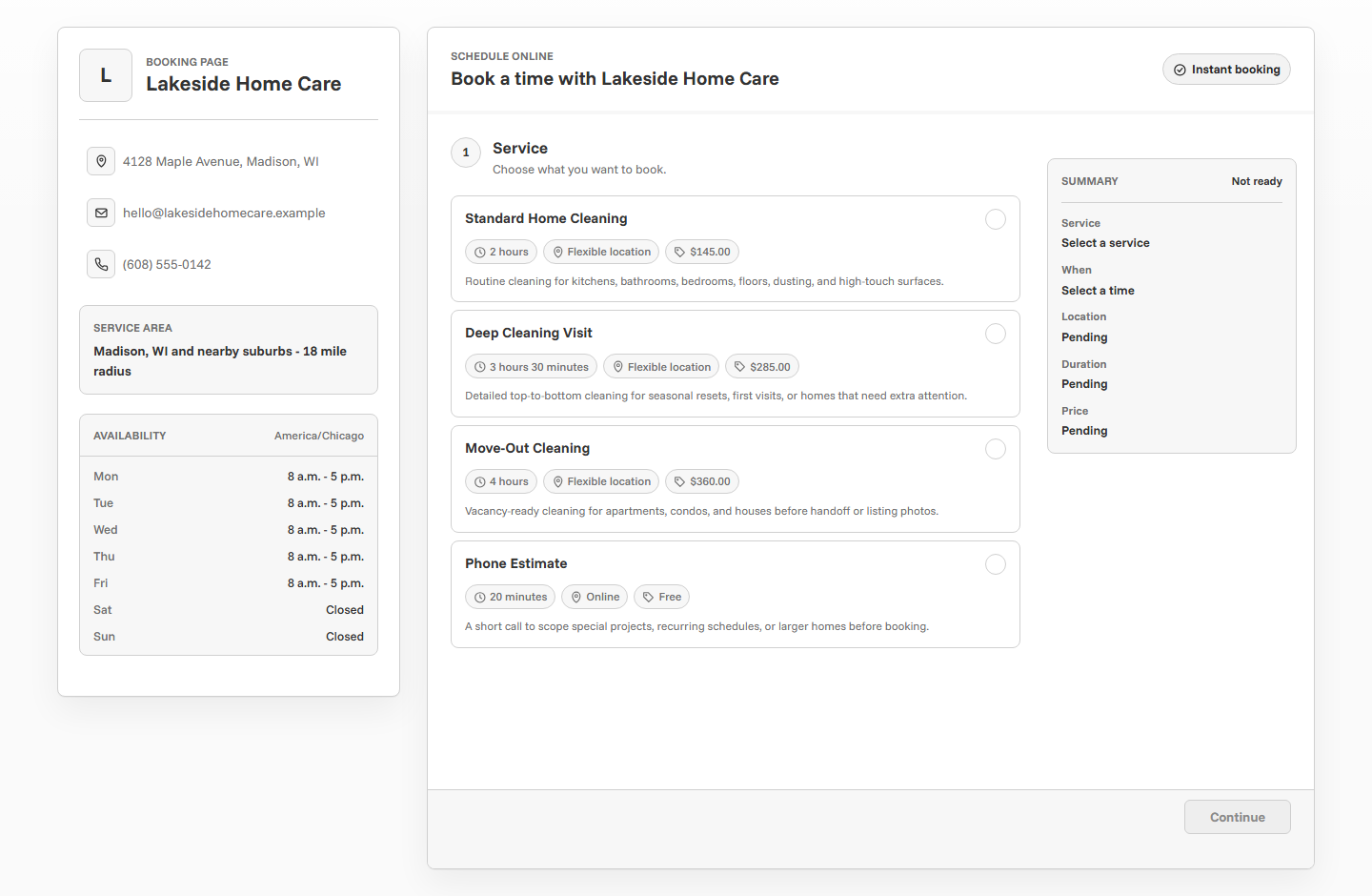
What trainers need from scheduling software
Personal training schedules are often built around narrow windows: early mornings, lunch breaks, evenings, weekends, gym availability, travel time, and recovery between sessions. A generic calendar link can fill those windows too loosely or create back-to-back bookings that do not match how training actually works.
The right scheduling setup gives clients a direct way to book while keeping the trainer in control. It should make session types clear, prevent unrealistic time slots, collect useful client notes, and reduce no-shows with confirmation and reminder emails.
Start with session types
Trainer scheduling works better when each session type has its own name, duration, and purpose. A new-client assessment is not the same as a private training session, and a program review is not the same as an in-person workout.
Separate new clients from existing clients
New clients usually need more context before training begins. They may need to share goals, injuries, experience level, schedule constraints, and whether they want strength training, mobility, weight loss, sport performance, or general fitness. Existing clients usually need a faster path to book the next session.
Create a first-session service for new clients and standard session options for existing clients. This keeps the public page easy to understand and prevents a new client from booking the wrong type of appointment.
New clients
Use an assessment, intro session, or consultation with intake questions and clear expectations.
Existing clients
Use private training, program review, or recurring session options with fewer questions.
Online clients
Use virtual coaching calls and program reviews with calendar files and reminder emails.
Set availability around real training blocks
Availability is where personal trainer scheduling can go sideways. Opening every empty hour may look flexible, but it can create scattered sessions, rushed transitions, and appointments that do not leave time for setup, notes, billing, or travel.
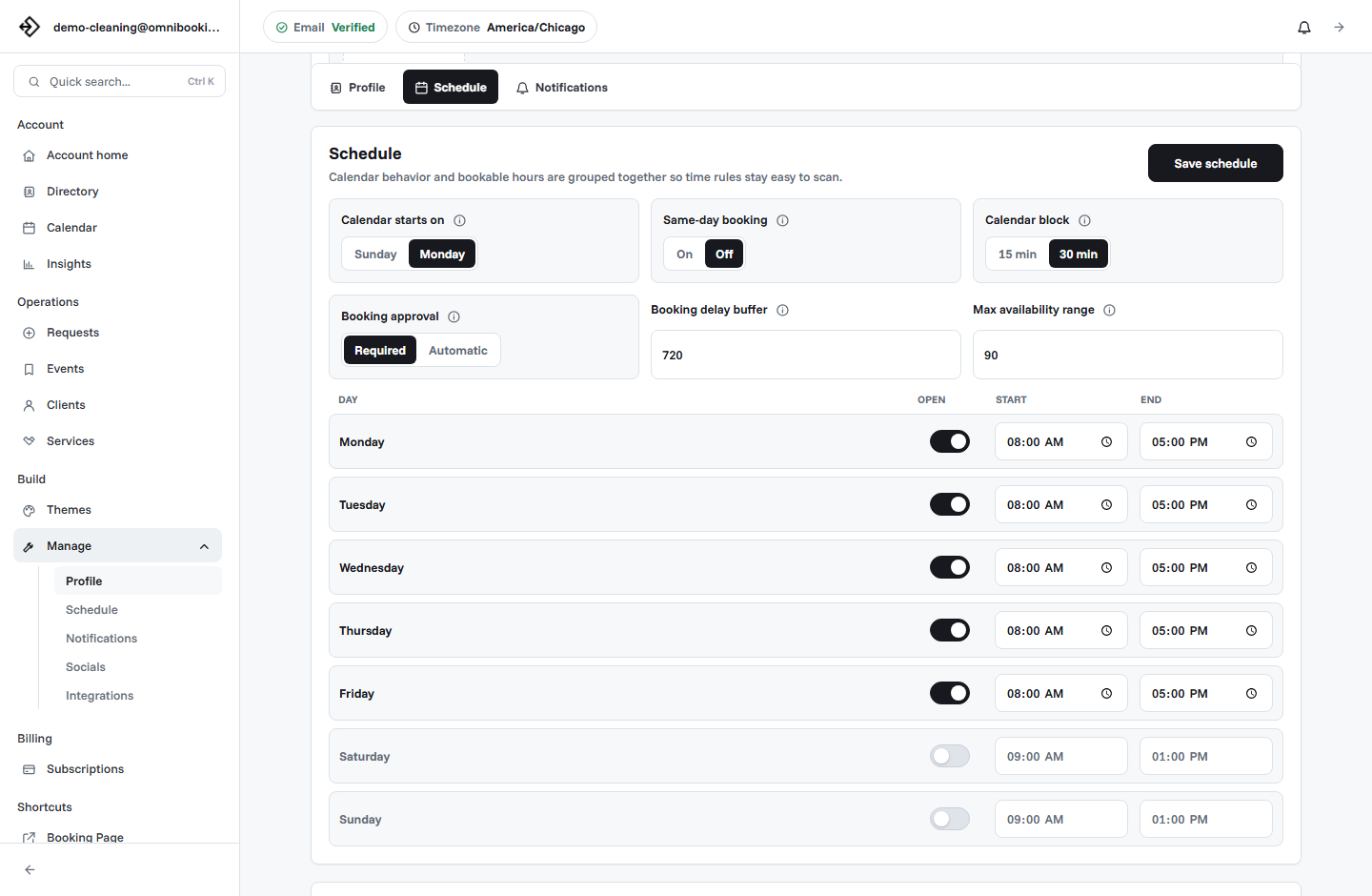
- Open only the days and hours you actually want clients to book.
- Use service durations that include setup, wrap-up, and transition time.
- Add a booking delay if you do not want last-minute sessions.
- Limit how far ahead clients can book if your schedule changes often.
- Block admin time, travel time, programming time, and breaks.
- Keep assessment availability separate from regular training blocks when needed.
Use reminders for preparation, not just attendance
For trainers, reminders are partly about reducing no-shows and partly about helping clients arrive ready. A useful reminder can mention the session time, location, what to wear, when to arrive, hydration, parking, and whether the client should bring anything.
Reminder emails are especially useful for early morning sessions. Clients may book days ahead and need a simple prompt before the session shows up on the calendar.
Collect client details without overloading the form
A booking form should collect the information needed to prepare for the first session. It should not try to replace a full intake process. Keep the first form practical and save deeper health history, waivers, and programming details for your normal client onboarding workflow.
- What is your main training goal?
- Have you worked with a trainer before?
- Do you have injuries or limitations I should know about?
- Are you booking in person or online?
- What is your preferred training style or focus?
- Is there anything you want me to know before we meet?
Decide when payments or deposits make sense
Payments can be useful when sessions are fixed-price, limited, or prone to no-shows. A paid intro session, assessment, program review, or single private session can be easier to manage when payment happens before the appointment is confirmed.
For monthly coaching packages, recurring memberships, or custom plans, scheduling software may only need to handle the appointment flow. Payments can be handled separately depending on how the trainer sells the package.
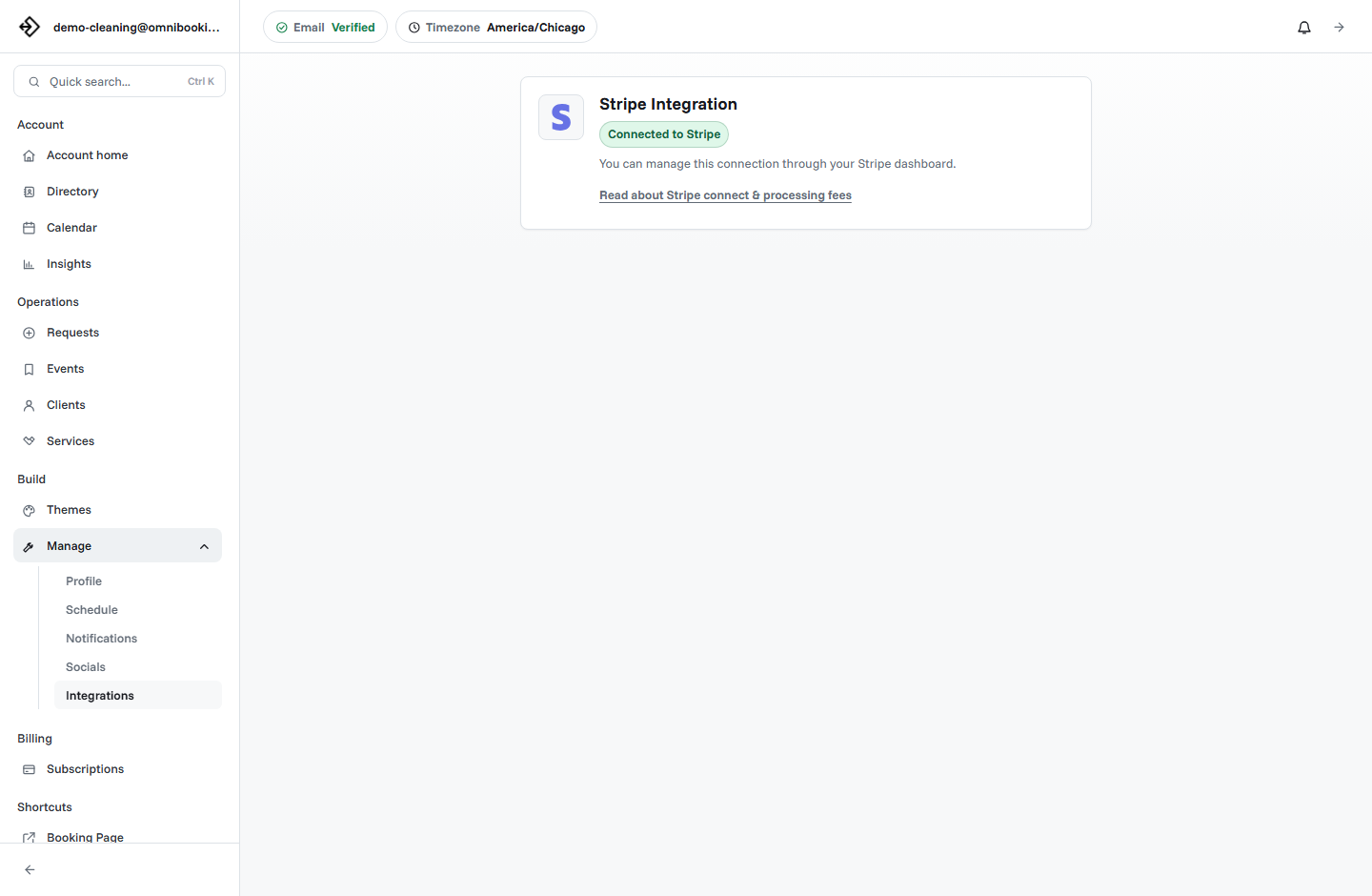
Omnibooking supports paid booking through Stripe Connect for fixed-price services. For setup details, read the Stripe Connect paywalls guide.
Use booking requests when fit matters
Not every training appointment should be confirmed instantly. If you need to review the client's goals, injury notes, travel distance, or package fit before committing, use a request or consultation flow. That gives the client a clear next step without turning every inquiry into a confirmed session.
Instant booking
Best for existing clients, fixed private sessions, program reviews, and paid intro sessions.
Booking request
Best when you want to review notes before confirming a new client appointment.
Consultation
Best when the client is deciding between training options or packages.
Example setup for a solo personal trainer
A solo trainer might start with four services: Fitness Assessment, Private Training, Program Review, and Virtual Coaching Call. Each service has its own duration, questions, and booking rules.
Personal trainer scheduling checklist
Use this checklist before sharing a training booking link with clients.
- Session names are clear to new and existing clients.
- Durations include setup, wrap-up, and transition time.
- Availability matches the hours you actually want to train.
- New-client questions capture goals, experience, and limitations.
- Payments or deposits are enabled only for fixed-price sessions.
- Confirmation emails explain whether the booking is confirmed or pending.
- Reminders include arrival and preparation details.
- The booking page is easy to use on a phone.
How Omnibooking helps trainers
Omnibooking gives personal trainers a hosted booking page, custom services, availability controls, reminders, calendar files, booking requests, and paid booking through Stripe Connect. That means a trainer can publish a simple scheduling flow while still protecting their calendar and client experience.
See Omnibooking for Personal Trainers for the trainer-specific solution page. For broader setup guidance, use the online booking checklist, the booking page examples, or the guide on creating a booking page.
Related resources
Reduce No-Shows With Reminders
Use prep-focused reminders to help clients arrive ready to train.
Set Booking Availability
Protect recovery, travel, and admin time around training blocks.
Stripe Connect Setup and Fees
Use paid booking when assessments, packages, or sessions need upfront commitment.
Booking Page Examples
Compare the trainer flow with other service-business page patterns.
FAQs
What is the best scheduling software for personal trainers?
The best scheduling software for personal trainers supports custom session types, realistic availability, reminders, client notes, payments for fixed-price sessions, and a booking page that works well on mobile.
Should personal trainers allow instant booking?
Instant booking works well for existing clients and clear session types. New-client assessments, injury-sensitive training, or package decisions may work better as booking requests or consultations.
Should trainers require payment before booking?
Payment before booking can make sense for fixed-price sessions, intro appointments, assessments, or limited slots. For custom packages or recurring coaching, the scheduling flow may be separate from payment setup.
What should a trainer booking form ask?
Ask for the client's goals, training experience, injuries or limitations, preferred session type, location preference, and any notes needed before the first session.
How can trainers reduce no-shows?
Use clear confirmation emails, reminder emails, calendar files, deposits for high-commitment sessions, and realistic cancellation expectations on the booking page.