Booking software for cleaners and home services should help clients choose the right job type while giving the business enough detail to plan the visit. A strong booking page separates standard cleans, deep cleans, move-out work, recurring visits, and estimates; collects address and access notes; protects travel time; sends reminders; and explains whether the booking is confirmed or pending review.
Why cleaning booking needs more than a calendar
Cleaning appointments depend on scope. A recurring maintenance clean, first-time deep clean, move-out clean, post-construction clean, and short estimate visit can all require different timing, preparation, pricing, supplies, and follow-up. If a booking page treats them the same, the calendar may fill with visits that are hard to staff or complete on time.
The best setup makes common services easy to book while collecting enough information to plan the visit. When the scope is unclear, the page should support requests or estimates instead of pretending every cleaning job is a standard appointment.
Set up job types clients recognize
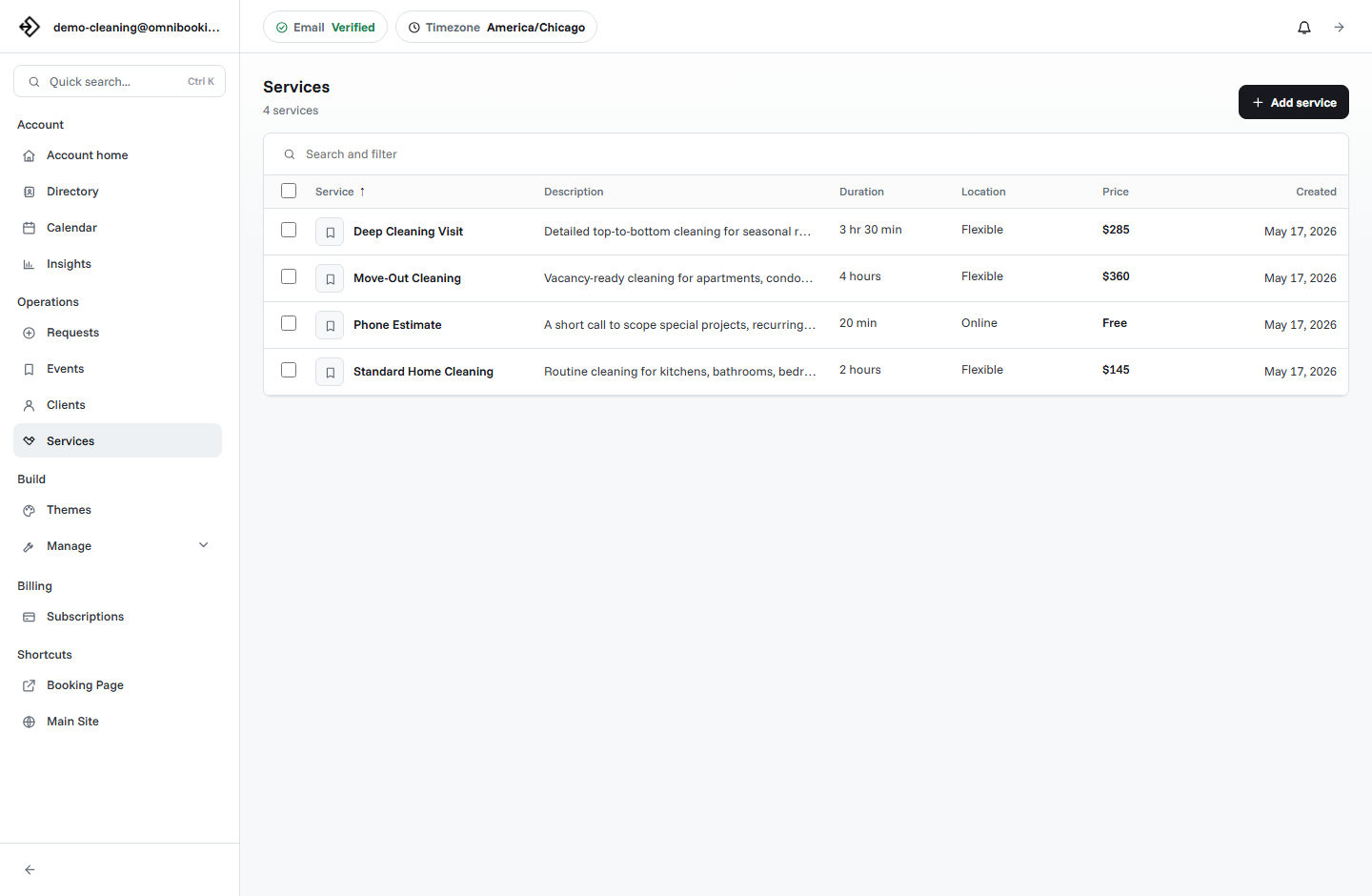
Cleaning service names should match how clients think about the job. Clear job types reduce back-and-forth and make it easier to estimate duration, price, supplies, and staffing.
Collect visit details before the appointment
Cleaning businesses need practical details before arriving. A good booking form can collect the information needed to plan the visit without making the client write a long message from scratch.
- What type of cleaning do you need?
- What is the service address?
- How many bedrooms, bathrooms, or main rooms are involved?
- Is this a first-time, recurring, move-out, or post-renovation clean?
- Are there pets, parking instructions, gate codes, or access notes?
- Do you have supplies on site, or should the cleaner bring supplies?
- Are there priority areas or special requests?
Use durations that match the job
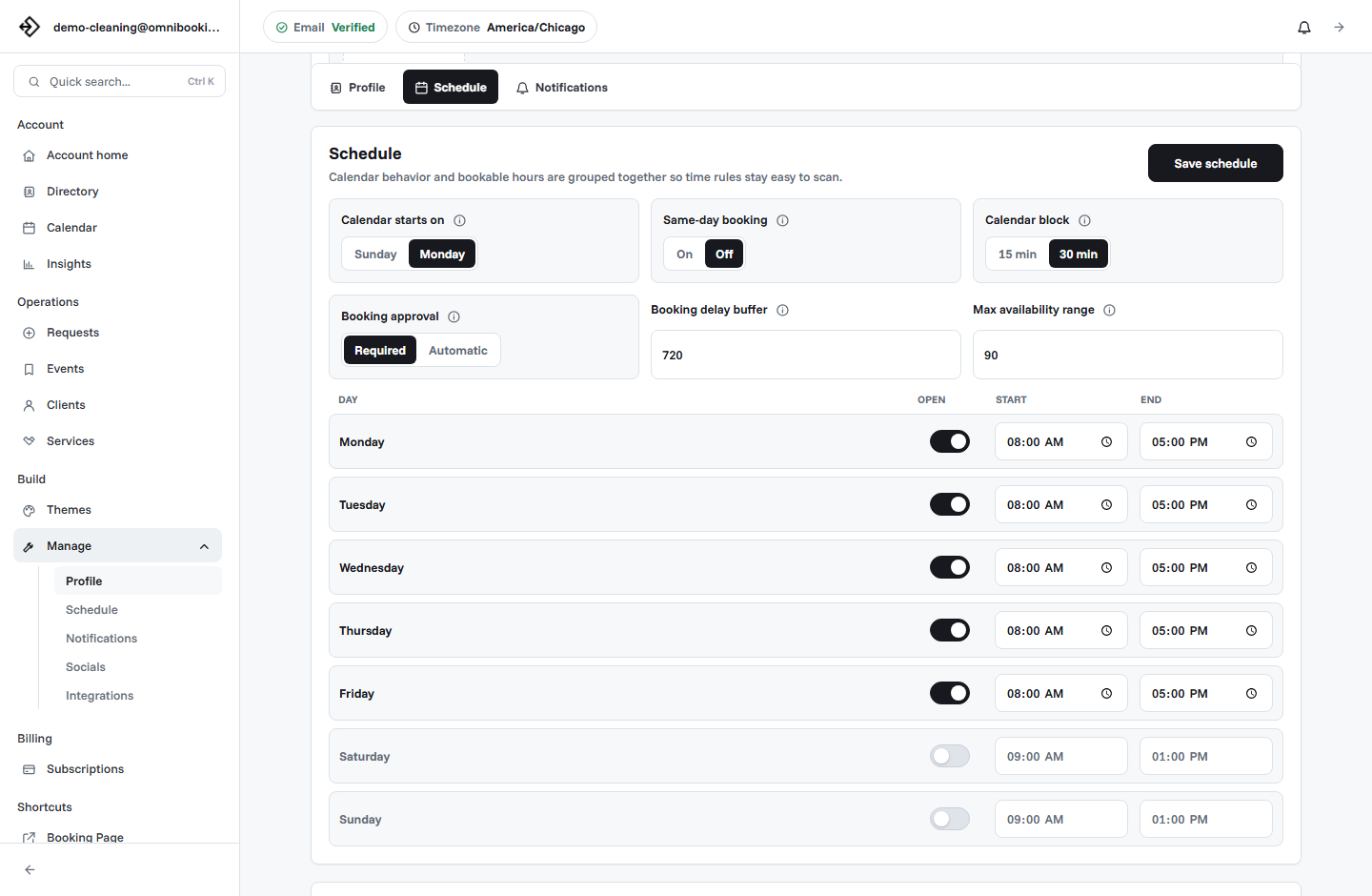
Cleaning appointments can be hard to schedule when duration is too optimistic. A standard cleaning may fit into a predictable block, but deep cleaning and move-out work often need more time. If travel, setup, supplies, and wrap-up are not considered, the day can become overloaded quickly.
Short jobs
Use shorter blocks for estimates, small refreshes, or repeat clients with known scope.
Long jobs
Use longer blocks for deep cleans, move-out work, or first-time appointments.
Travel time
Block time between visits when clients are spread across a service area.
Set service area and availability rules
Home-service booking needs location awareness. If clients can book from anywhere, the calendar may look fine online but create impossible routes in practice. Use the booking page to clarify the service area and collect the address before the job is confirmed.
Use approval for jobs that need review
Instant booking works well for repeat clients and predictable services. It may not work for every cleaning job. Move-out cleans, first-time deep cleans, post-construction cleaning, large homes, and jobs outside the normal service area may need review before the appointment is confirmed.
Instant booking
Best for standard recurring visits, known clients, and fixed-scope services.
Booking request
Best for first-time clients, larger jobs, address review, or scope questions.
Estimate first
Best when the price, duration, or staffing needs cannot be known from the form alone.
Send reminders that reduce missed visits
Reminders help clients remember the visit and prepare the space. A useful cleaning reminder can mention arrival window, address, access instructions, parking, pets, supplies, cancellation expectations, and any prep the client should complete before the cleaner arrives.
- Appointment date and arrival time or window.
- Service address and access notes.
- Parking, gate code, lockbox, or building entry details.
- Pet instructions and priority areas.
- Whether the client should provide supplies.
- Cancellation or rescheduling expectations.
Decide when payments make sense
Payments can be useful for fixed-price services, deposits, estimate fees, or standard appointments where the price is known. For jobs that depend on property condition, square footage, or scope, it may be better to collect a deposit or schedule an estimate before charging the full amount.
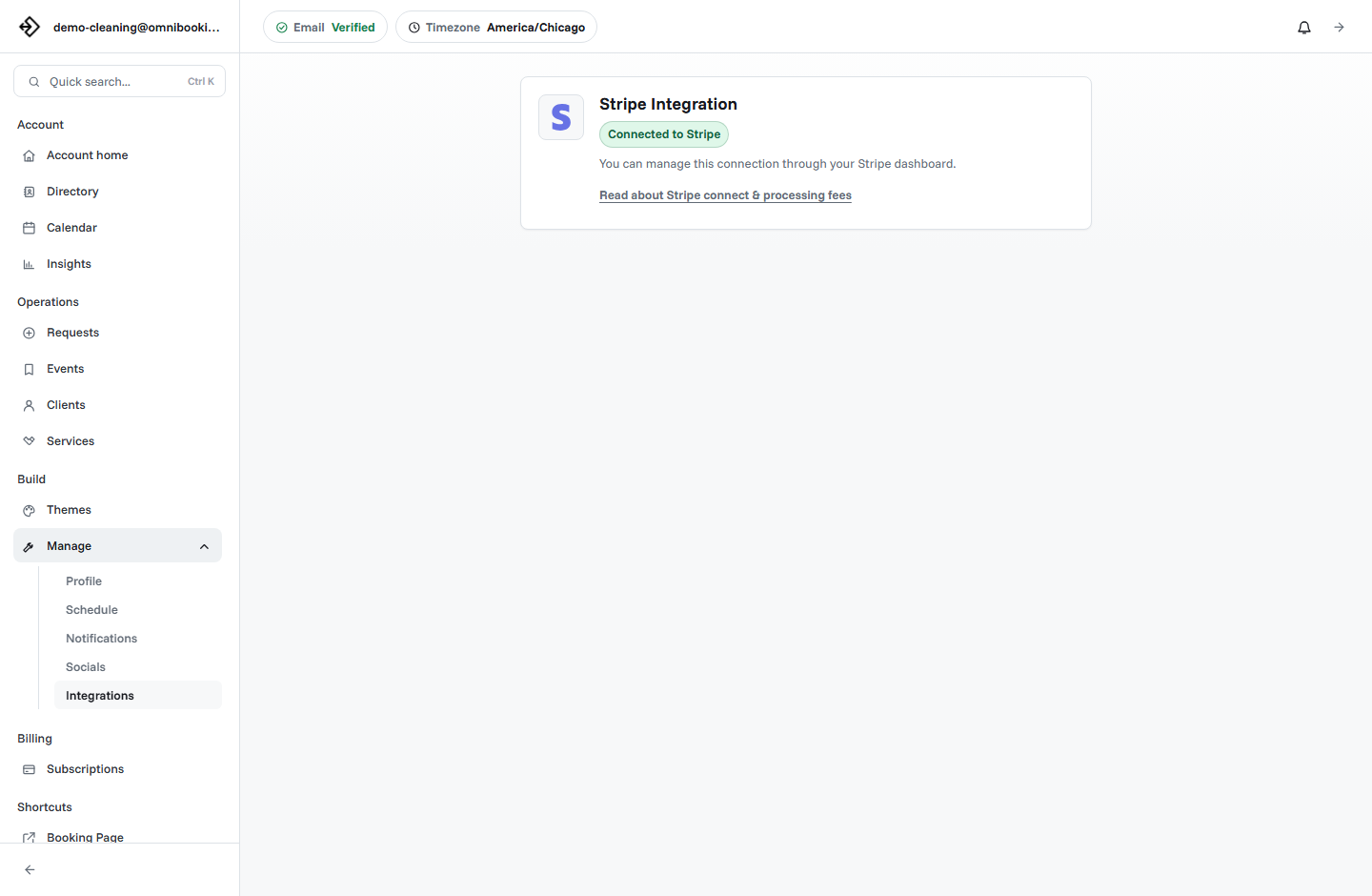
Omnibooking supports paid booking through Stripe Connect for fixed-price services. The Stripe Connect paywalls guide explains how paid booking works.
Example setup for a cleaning business
A cleaning business might start with five services: Standard Cleaning, Deep Cleaning, Move-Out Cleaning, Recurring Cleaning, and Cleaning Estimate. Predictable jobs can be direct booking. Larger or uncertain jobs can use approval or estimates.
Cleaning booking checklist
Use this checklist before sharing a cleaning service booking link.
- Job types are clear and easy for clients to choose.
- Durations include travel, setup, and realistic service time.
- Address, access, parking, and pet notes are collected.
- Service area expectations are visible or enforced.
- Approval is used for large, first-time, or unclear jobs.
- Reminders include arrival and access details.
- Payments are enabled only for fixed prices, deposits, or estimate fees.
- The booking page works smoothly on mobile.
How Omnibooking helps cleaners
Omnibooking gives cleaning services a hosted booking page, custom job types, availability controls, booking requests, service area support, reminders, calendar files, and paid booking through Stripe Connect. That gives clients a simple booking path while helping the business keep routes, timing, and visit details organized.
See Omnibooking for Cleaning Services for the cleaning-specific solution page. For broader setup help, use the booking page examples, the booking page guide, or the online booking checklist.
Related resources
Set Booking Availability
Protect travel, prep, and reset time before opening cleaning slots.
Same-Day Booking Rules
Decide when short-notice cleaning requests are useful and when they need review.
Reduce No-Shows With Reminders
Use reminders and access notes to make home visits smoother.
Prevent Double Booking
Keep pending jobs, confirmed visits, and blocked travel time from colliding.
FAQs
What is the best booking software for cleaning services?
The best booking software for cleaning services supports custom job types, address and access notes, service area rules, realistic availability, reminders, booking approval, and payments for fixed-price jobs.
Should cleaning services allow instant booking?
Instant booking works well for repeat clients and predictable services. First-time deep cleans, move-out cleaning, large properties, and unclear jobs often work better as booking requests or estimates.
What should a cleaning booking form ask?
Ask for job type, service address, room count or property details, access instructions, parking, pet notes, supplies, priority areas, and whether the client wants one-time or recurring service.
Should cleaners take payment before booking?
Payment before booking can make sense for fixed-price cleanings, deposits, and estimate fees. If the final price depends on property condition or scope, use an estimate or approval workflow first.
How can cleaning businesses reduce missed appointments?
Use confirmation emails, reminder emails, calendar files, clear arrival details, access instructions, cancellation expectations, and deposits for high-commitment jobs.