Client intake questions help a service business understand who is booking, what they need, where the appointment happens, and whether the request is a good fit. The best intake flow collects enough information to prepare without turning the booking page into homework. Ask only what affects the appointment, then use approval or follow-up when a request needs more review.
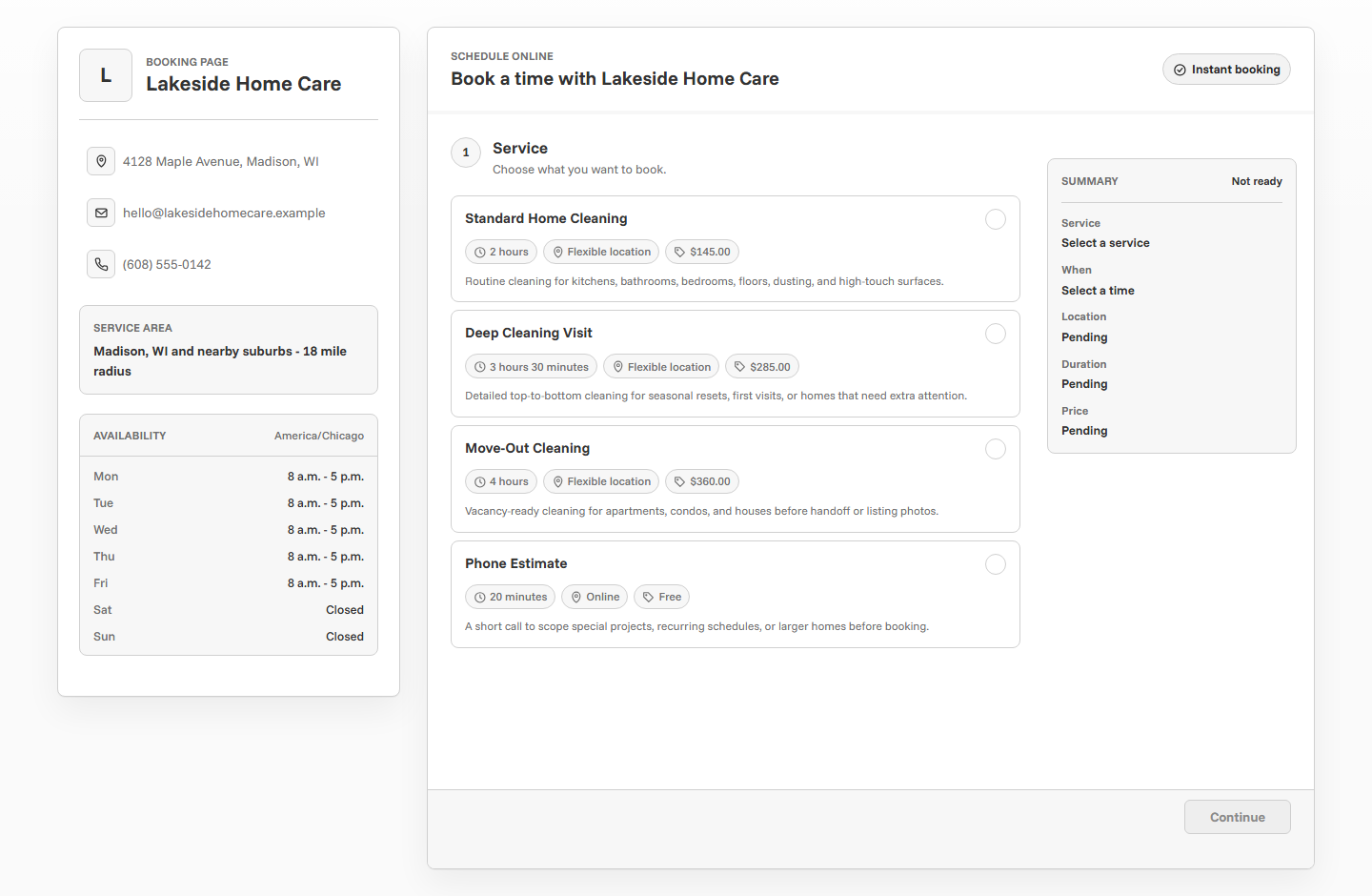
Why intake questions matter
Online booking works best when the appointment is clear before it reaches the calendar. If the business has to chase every client for missing details, the booking page only moved the back-and-forth to a different place.
Good intake questions help the business choose the right duration, prepare materials, confirm the location, understand client goals, and decide whether the appointment can be accepted automatically. They also help clients feel guided instead of dropped into a blank calendar.
Start with the decision the business has to make
Before writing questions, decide what the business needs to know to accept or prepare for the appointment. A generic question like "Tell us more" can collect anything, but it does not guide the client toward useful information.
Each question should support one practical decision: Is this the right service? Is the duration realistic? Is the client inside the service area? Does the appointment need approval? Does the client need to prepare anything before the appointment?
Fit
Does the client need the service they selected, or should they start with a consultation?
Timing
Will the service duration cover the work, or does the request need a longer appointment?
Location
Is the appointment online, at the business location, or at the client's address?
Preparation
Does the business need notes, access instructions, materials, photos, or context before arriving?
Keep required questions limited
Every required question adds friction. If the client has to answer too much before they can choose a time, some will abandon the page and send a message instead. That defeats the purpose of online booking.
Use required questions for information the business truly needs before confirming the appointment. Use optional notes for helpful context. Use booking approval when the request is too variable to solve with one short intake form.
Collect the basic client details first
The basics should be boring in the best way. The business needs the client's name, email, and often a phone number so the appointment can be confirmed, reminded, and followed up. These details also help keep client records clean after the booking.
If the business relies on phone calls, texts, or same-day updates, phone number becomes more important. If most communication happens by email, phone can be optional unless the service involves travel, access, or urgent changes.
- Client name.
- Email address for confirmations and reminders.
- Phone number when quick contact may be needed.
- Service choice so the business knows what was requested.
- Appointment date, time, and timezone.
- Location or online details when relevant.
Ask service-specific questions in plain language
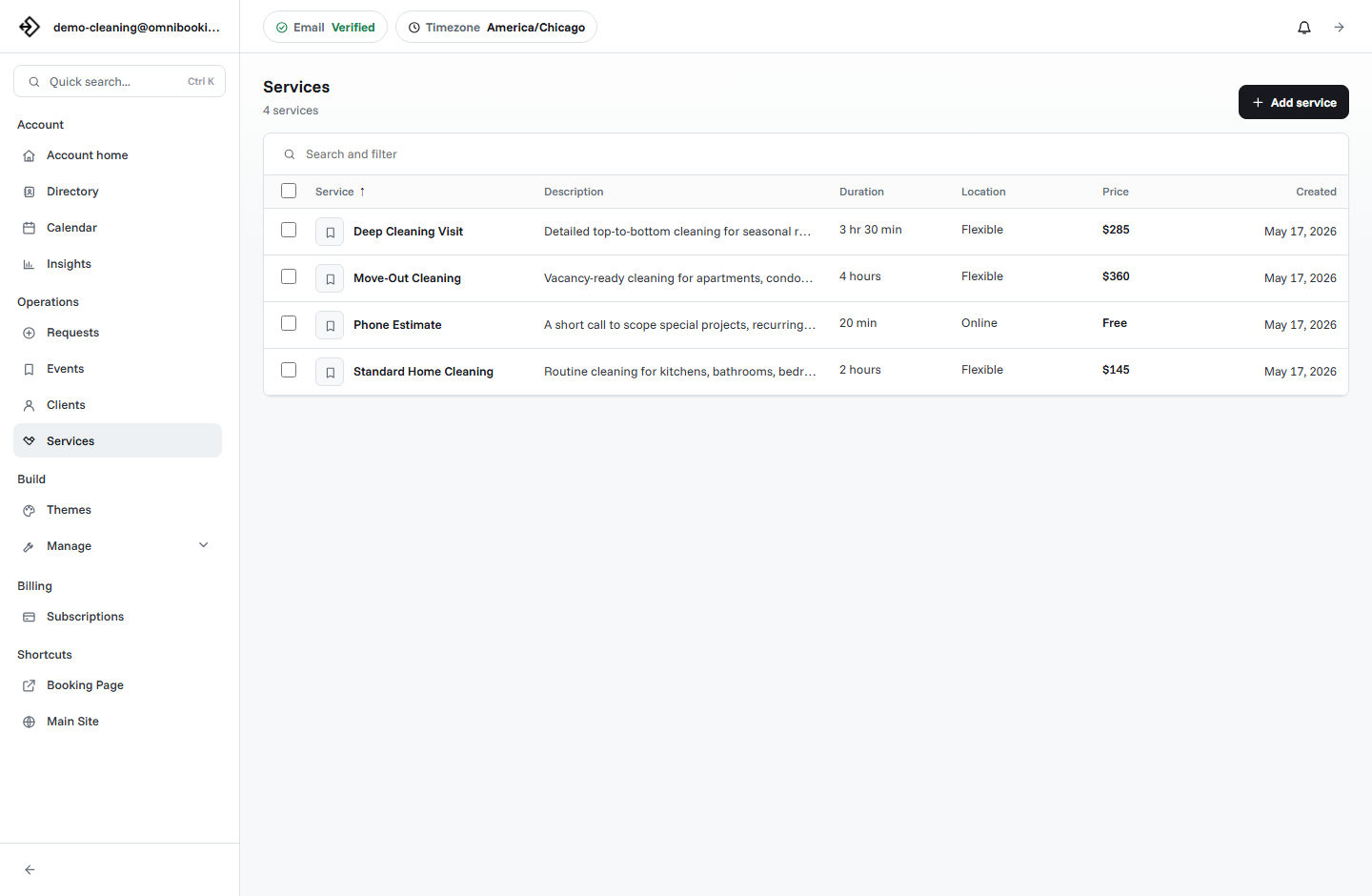
The most useful intake questions are tied to the selected service. A cleaner, tutor, contractor, stylist, photographer, trainer, and consultant do not need the same information. Use the service description to tell clients what to include in the booking notes.
Plain language matters. Clients should not need to understand internal terms to answer correctly. Ask the way a real client would describe the problem, goal, or appointment.
Use location questions for mobile services
Location can change everything about an appointment. A service address may affect travel time, service area, parking, access, price, approval, and whether the business can accept the request at all.
For mobile or home-service businesses, ask for the appointment location before treating the booking as confirmed. If the location is outside the normal service area or needs review, use approval instead of instant confirmation.
- Full service address or neighborhood.
- Apartment, unit, gate, parking, or access instructions.
- Whether someone must be present when the provider arrives.
- Pets, building rules, loading zones, or security requirements.
- Whether the location is inside the normal service area.
- Whether travel time should change the appointment window.
Ask preparation questions before reminders go out
Intake questions and reminders should work together. The intake question collects what the business needs to know. The reminder tells the client what they need to do before the appointment.
For example, a tutor may ask what subject the student needs help with, then send a reminder to bring homework or test materials. A cleaner may ask about pets and access, then remind the client to leave a key or clear surfaces. A photographer may ask about session goals, then remind the client about location and arrival time.
Ask during booking
Collect the context the business needs before accepting or preparing for the appointment.
Confirm after booking
Send the service, date, time, location, and contact details so the client knows the appointment is recorded.
Remind before the appointment
Repeat the practical details that prevent missed appointments, confusion, or unprepared clients.
Do not collect information you do not need
It can be tempting to ask every possible question upfront, but a booking page is not always the right place for sensitive, detailed, or high-stakes information. Keep intake focused on the appointment. If a topic requires privacy review, professional judgment, or a longer conversation, move it to follow-up after the booking request.
This is especially important for health details, financial information, legal matters, minors, safety concerns, and anything the business does not need to deliver the appointment. Collecting less can make the booking page easier to use and easier to manage.
Use approval when intake answers need review
Some answers should not lead directly to a confirmed appointment. A client may be outside the service area, asking for a custom job, choosing the wrong service, or describing work that needs a quote before the business can commit.
Booking approval gives clients a clear way to submit preferred appointment details while keeping the owner in control. The business can review the request, accept it, deny it, or follow up before the calendar is fully committed.
Match intake to payment rules
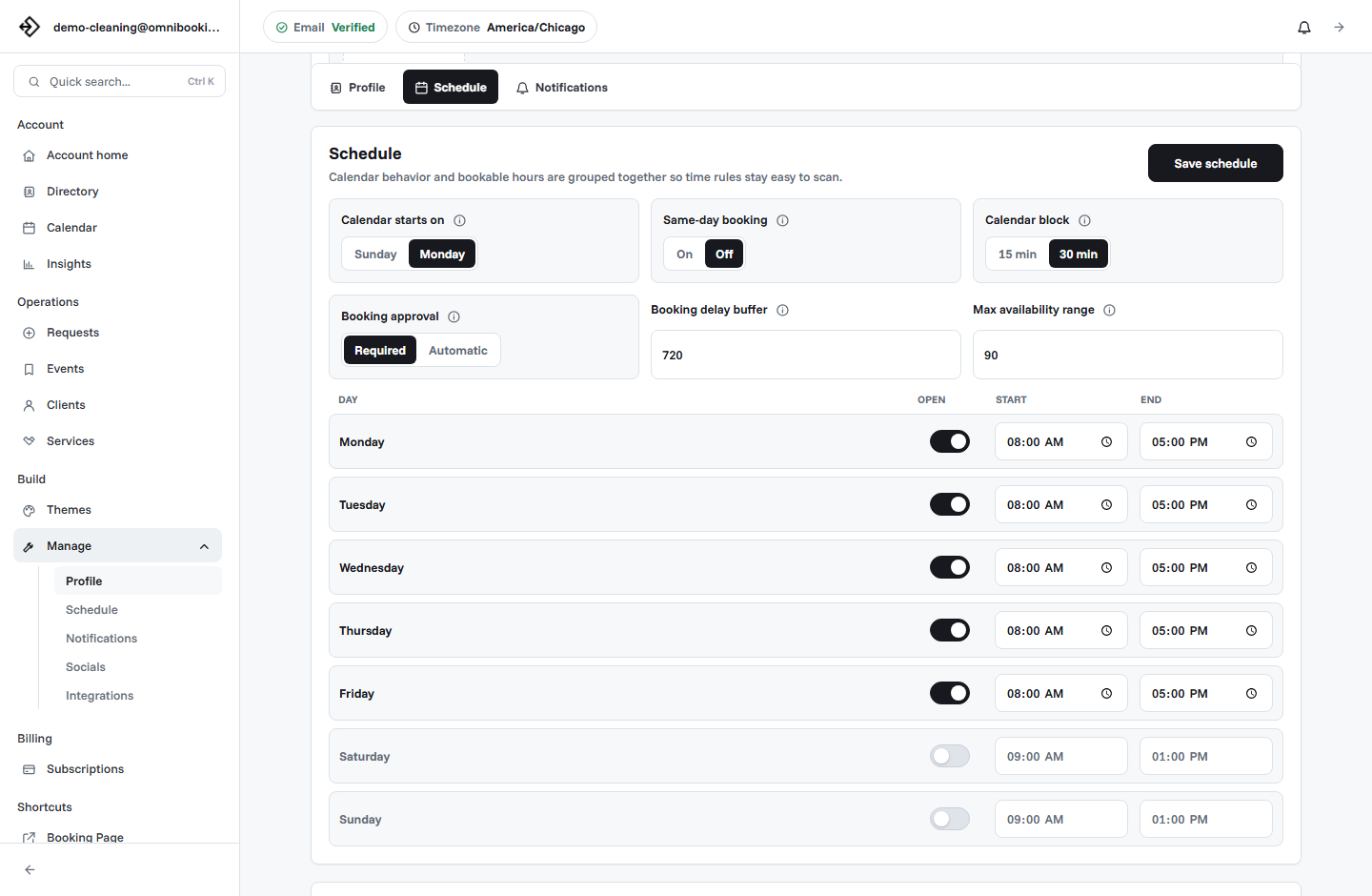
If a client pays before booking, intake questions should make the paid service clear before checkout. The client should understand what they are paying for, whether the payment is a deposit or full price, and what happens if the details show the request is not a fit.
Paid booking works best for fixed-price services. If intake answers can change the final price, use a request, estimate, consultation, or approval workflow before taking payment for the main work.
Example intake prompts by service
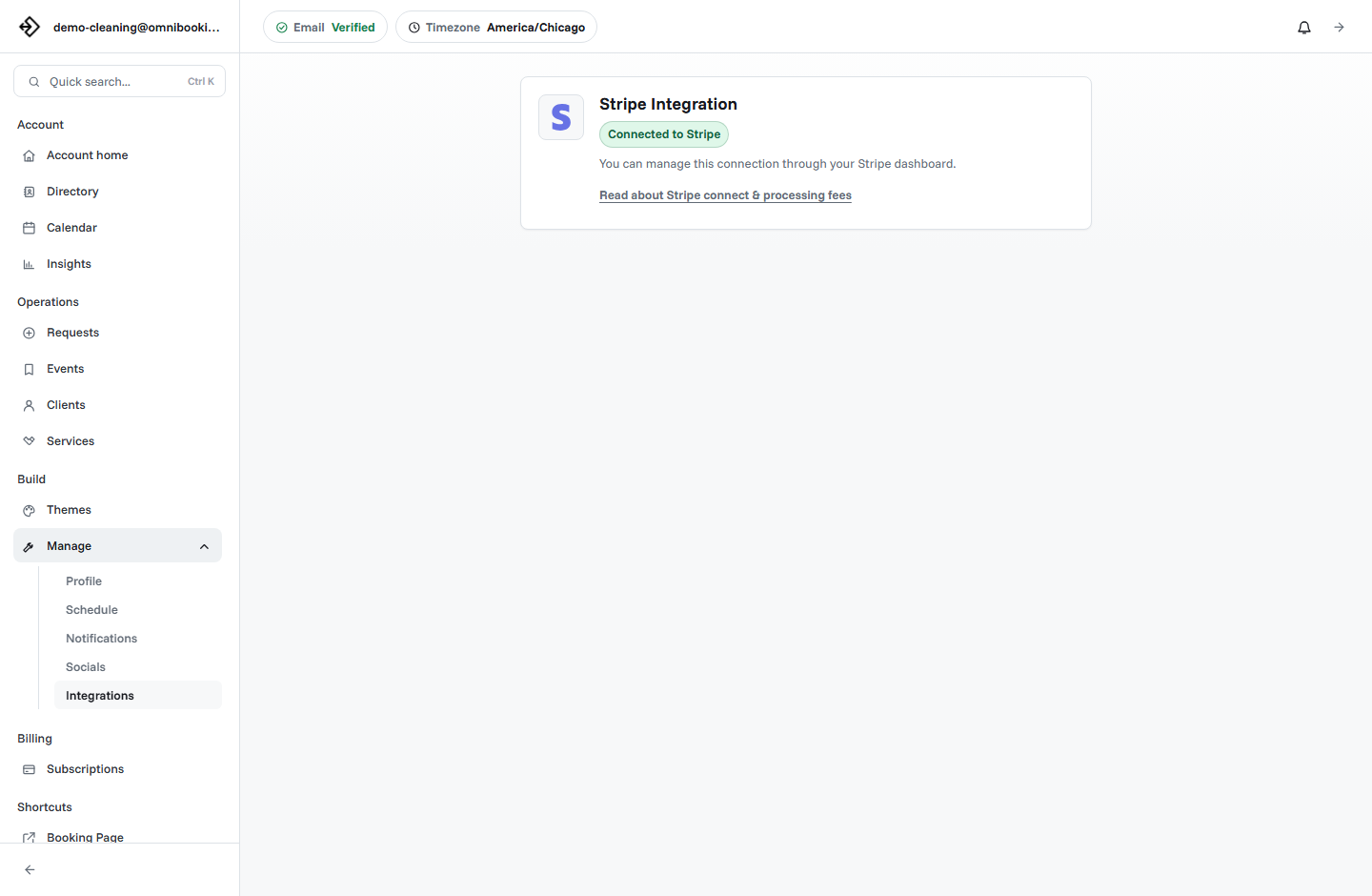
Use these as short prompts in service descriptions or notes guidance. The goal is to help clients write useful answers without asking them to fill out a long questionnaire.
Consultation
Tell us what you want help with and whether there is a deadline or decision you are working toward.
Home service
Share the service address, access notes, parking details, pets, and anything unusual about the space.
Training session
Share your goal, experience level, and anything that affects how the session should be planned.
Tutoring lesson
Share the subject, grade level, current challenge, and what you want the lesson to focus on.
Beauty service
Share your goal for the appointment and any history that may affect timing or preparation.
Photography session
Share the session type, location idea, number of people, deadline, and any must-have shots.
Client intake checklist
Use this checklist before publishing a booking page or after too many appointments arrive with missing details.
- Each service description tells clients what details to include when needed.
- Required information is limited to what affects the appointment.
- Contact details are enough for confirmations, reminders, and follow-up.
- Mobile services collect location and access details before confirmation.
- Service notes help the business prepare without creating a long form.
- Complex or uncertain requests use approval instead of instant booking.
- Paid services are fixed-price or clearly framed as deposits.
- Reminder emails reinforce the preparation details clients may forget.
- Sensitive or unnecessary questions are left out of the first booking step.
- The full flow is tested from a phone before the link is shared.
How Omnibooking supports client intake
Omnibooking helps service businesses collect useful booking details through client contact fields, service selection, service descriptions, service location rules, client-provided locations for mobile services, booking notes, confirmation emails, reminders, booking approval, request review, client records, and paid booking through Stripe Connect for fixed-price services.
Use service descriptions to guide what clients should include in the notes field. Use location settings when the appointment depends on where the client needs service. Use approval when intake details should be reviewed before the booking is confirmed.
For related setup help, read the online booking checklist, how to create a booking page, and how to reduce no-shows with appointment reminders.
Related resources
Booking Page Examples
See how different business types can shape service details and client notes.
Booking Software for Contractors
Review intake questions for estimates, service calls, addresses, and job scope.
Booking Software for Cleaners
Collect property, access, pet, and service-area details before cleaning visits.
Cancellation Policy for Service Businesses
Connect intake, reminders, and cancellation expectations into one clear workflow.
FAQs
What are client intake questions?
Client intake questions are the questions a business asks before an appointment so it can understand the client, service need, location, preparation requirements, and whether the request should be confirmed or reviewed.
What should I ask before a client books?
Ask for contact details, service choice, location when needed, and a short note about anything that affects timing, preparation, approval, or price. Keep the booking flow short unless the service truly needs more detail.
Should intake questions be required?
Only make a question required when the answer is needed before the appointment can be accepted or prepared. Optional notes are better for context that is helpful but not essential.
How many intake questions are too many?
There is no perfect number, but every question should earn its place. If a question does not affect service choice, timing, location, preparation, payment, or approval, it may be better to ask later.
When should intake use booking approval?
Use booking approval when answers need review before the appointment is confirmed, such as custom work, variable pricing, service-area checks, first-time clients, or requests that may need a different service.